3.
Control - page is only visible to the administrator. It contains a set of
pages to congure the inputs and outputs visible in Status.
1
2
3
4
Control / Out
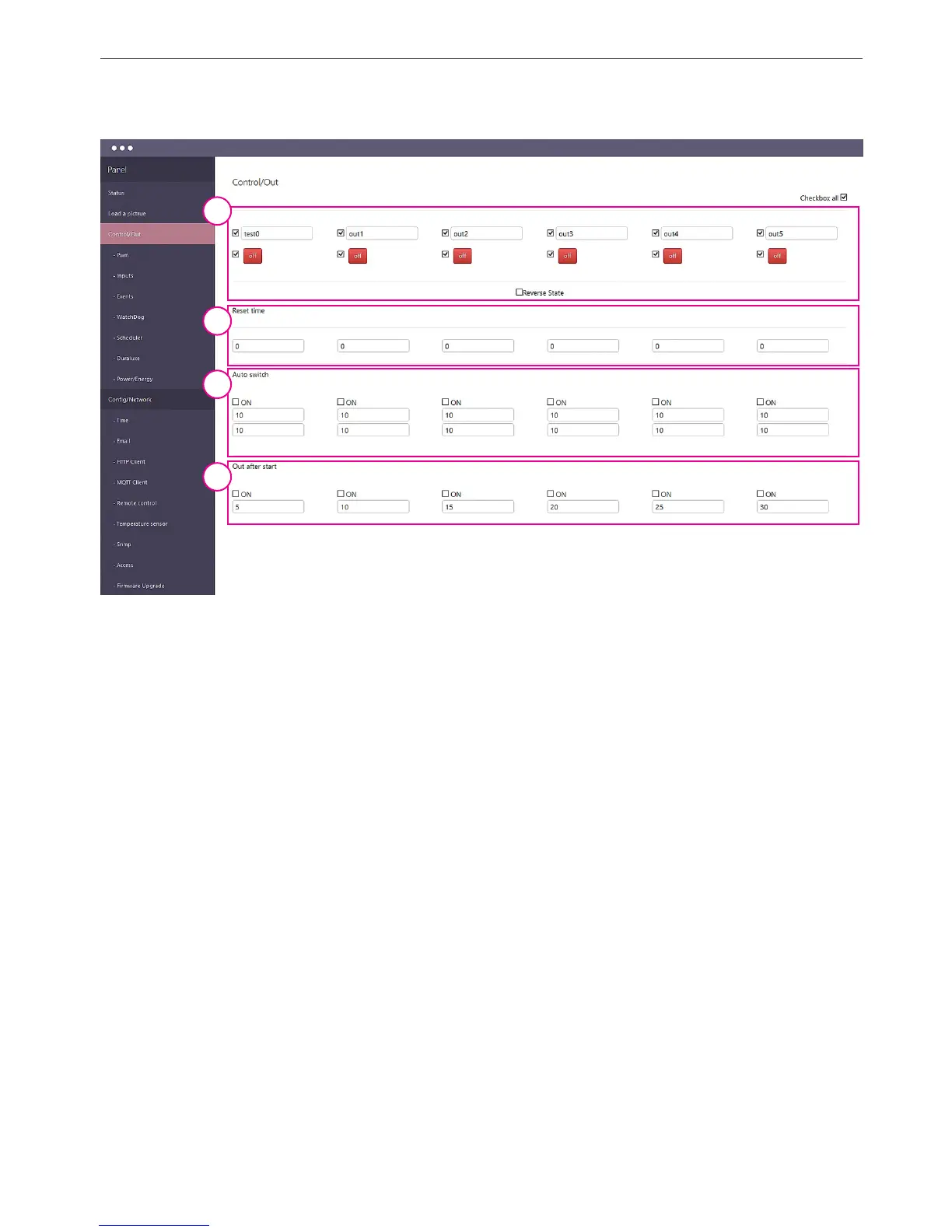
1. ON/OFF output panel - allows you to select which outputs out0÷out6 may be visible.
Separately, you can select the description eld and the change of state. In the latter case it
makes it possible to change the state of the user. Checkbox "Reverse State" reverses only
logical state of the outputs (relay does not change). Lan Controller remembers the state of
the outputs when power is restored.
2. Reset time - automatically changes the output state to opposite entered the time
in seconds from the rst change (caused by the user or by the function of events).
3. Auto switch - the output changes automatically switched on times on / o certain elds.
4. Out after start - sets the delay in switching outputs after power (if it was turned on befo-
re turning o). The very useful in controlling high power loads.


 To Next Page
 Loading...