EasyManua.ls Logo

Titan T9200 - User Manual

Titan T9200
135 pages
Print Icon
To Next Page IconTo Next Page
Loading...
User's Manual
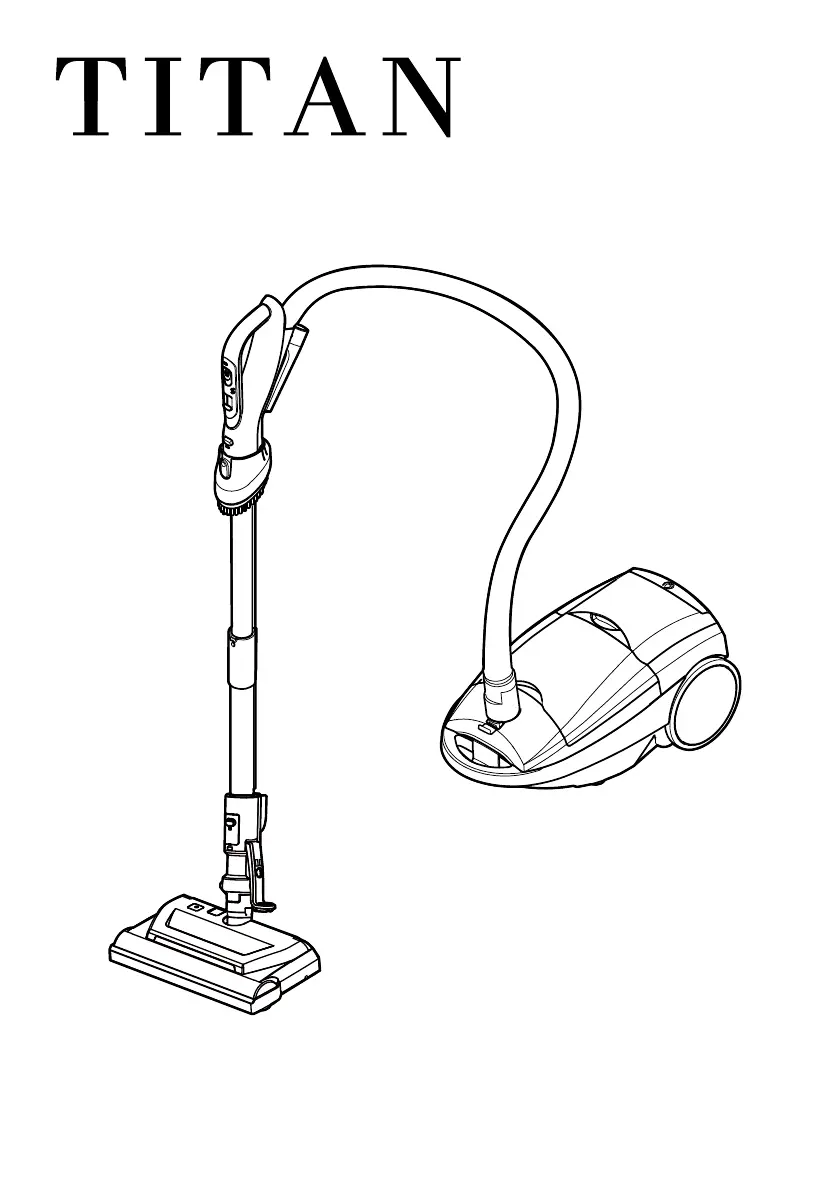
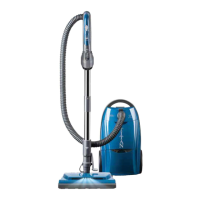
DELUXE CANISTER VACUUM
TITAN T9200

Questions and Answers

  • U
    uscottAug 2, 2025
    Why won't my Titan Vacuum Cleaner start?
    • J
      Jennifer WilkersonAug 2, 2025
      Your Titan Vacuum Cleaner might not start because the power cord isn't fully plugged into the outlet. Make sure it is. Also, ensure the switch is in either the HARDFLOOR or CARPET position. Another potential cause is a tripped circuit breaker or blown fuse; try resetting the breaker or replacing the fuse. In addition, check the hose electrical connections and reconnect them if they are loose.
  • M
    michaelhickmanAug 6, 2025
    Why is the suction weak on my Titan T9200?
    • D
      David ReillyAug 6, 2025
      Weak suction on your Titan Vacuum Cleaner could be due to several reasons. The dust bag might be full or clogged, so you should change it. There might be clogged airflow passages that needs clearing. The filters could be dirty, requiring cleaning or replacement. Check if the pile height setting is wrong and adjust it. Also, make sure the electronic suction control isn't set to a low power position, and adjust if necessary. Inspect the hose for holes and replace if needed.
  • A
    Austin PowellAug 10, 2025
    Why does my Titan T9200 Vacuum Cleaner start and then shut off?
    • R
      Roy HarrisAug 11, 2025
      Your Titan Vacuum Cleaner might be shutting off due to several reasons. Check the hose or hood electrical connections and reconnect the hose ends if necessary. Another cause could be a tripped overload protector in the motorized nozzle. If this is the case, turn off the vacuum cleaner, remove any obstructions, and restart it. If it continues to stop, clean the agitator and end caps, then reset.
  • J
    Jason GrantAug 15, 2025
    What to do if the CHECK BAG indicator activates on my Titan T9200?
    • A
      Ashley SmithAug 15, 2025
      If the CHECK BAG indicator activates on your Titan Vacuum Cleaner, it could mean the dust bag is full or clogged, so you should change it. Dirty filters can also cause this, so clean or replace them. Another cause might be a blocked airflow passage, which you'll need to clear. Note that the light may turn on when using certain attachment tools; this is normal and the light should go off when the tool is removed.
  • V
    Victoria ChapmanAug 19, 2025
    How to fix a motorized nozzle that won't run on my Titan T9200?
    • B
      brent53Aug 19, 2025
      If the motorized nozzle on your Titan Vacuum Cleaner isn't running, first check if the nozzle connections are unplugged and plug them in firmly. Another reason could be a tripped overload protector in the motorized nozzle. Turn off the vacuum cleaner, remove any caught items, and restart it. If it stops again, clean the agitator and end caps, then reset. Make sure the switch is in the CARPET position.
  • J
    jimmybrownAug 25, 2025
    Why does my Titan Vacuum Cleaner pick up rugs or push too hard?
    • L
      Lauren WilliamsAug 25, 2025
      If your Titan Vacuum Cleaner is picking up rugs or pushing too hard, the pile height setting may be incorrect; adjust the setting. The suction might also be too strong; adjust the electronic suction control to decrease it.
  • R
    Rebecca LeonardAug 28, 2025
    What to do if the cord will not rewind on my Titan T9200?
    • M
      michellechapmanAug 28, 2025
      If the cord on your Titan Vacuum Cleaner won't rewind, try cleaning the power cord. The cord might also be jammed.

Summary

BEFORE USING YOUR NEW VACUUM CLEANER

TITAN VACUUM CLEANER WARRANTY

IMPORTANT SAFETY INSTRUCTIONS

General Safety Warnings

General warnings about fire, electrical shock, injury, and damage when using the vacuum cleaner.

PARTS AND FEATURES

MOTORIZED NOZZLE & WANDS

Replacement Parts

List of replaceable parts for the vacuum cleaner, including part numbers for belts and filters.

HANDLE & HOSE ASSEMBLY

CANISTER

ASSEMBLY INSTRUCTIONS

Assembly Steps and Precautions

Instructions for assembling the vacuum cleaner, including precautions for electrical safety and component checks.

HOOD AND TOOL STORAGE COVER

Hose Attachment and Storage Cover Use

Guidance on attaching the hose to the canister and proper use of the hood and tool storage cover.

WANDS

HANDLE

OPERATING INSTRUCTIONS

Starting and Operation Guide

Steps to start the vacuum cleaner, including safety warnings, power connection, and initial setup.

ELECTRONIC SUCTION CONTROL

Vacuuming Tips and Patterns

Advice on effective vacuuming techniques and suggested patterns for optimal cleaning performance.

STAIR USE AND FEATURES

ATTACHMENT FEATURES

Pile Height Settings

Recommendations for adjusting pile height settings based on carpet type for optimal cleaning.

ATTACHMENTS

Attaching Accessories to Handle

Instructions for attaching various cleaning tools and accessories to the vacuum cleaner handle.

ATTACHMENTS ON WAND

SPECIFIC ATTACHMENTS

Dusting Brush and Crevice Tool

Details on using the dusting brush for various surfaces and the crevice tool for tight spaces.

ATTACHMENT STORAGE

Storing Cleaning Tools

Instructions for storing the Pet Pickup Tool and Bare Floor Brush attachments in the designated on-board areas.

VACUUM CLEANER STORAGE

Performance Features Overview

Explanation of key performance features like overload protector, belt reset, and brush status indicator.

PERFORMANCE INDICATORS

REMOVING CLOGS

Checking for Airflow Blockages

Steps to identify and clear blockages in the dust bag, filters, hose, or wand to restore airflow.

CLEANING AND MAINTENANCE

Dust Bag Management

Guidance on changing the dust bag, including removal and the function of the CHECK BAG indicator.

REPLACING DUST BAG

Dust Bag Re-use Warning

Important caution against reusing dust bags, highlighting potential damage and performance issues.

FILTER MAINTENANCE

MOTORIZED NOZZLE CARE

Belt and Agitator Servicing

Instructions for servicing the motorized nozzle, including belt replacement and agitator cleaning.

TO CLEAN AGITATOR

TO REPLACE BELT

AGITATOR SERVICING

Agitator Brush and Assembly Replacement

Procedures for checking brush wear and replacing the entire agitator assembly.

TROUBLESHOOTING

Troubleshooting Common Issues

Solutions for common vacuum problems like not starting or weak suction, with page references.

ADDITIONAL TROUBLESHOOTING

FURTHER TROUBLESHOOTING

Titan T9200 Specifications

General IconGeneral
BrandTitan
ModelT9200
CategoryVacuum Cleaner
LanguageEnglish

Related product manuals