Page 7;&(%$*4.8"4,7%<'*#$"&8#=%/7*,#*%4,77%>?@@@?@AA?BCDC1Item 58058
EF;6GHIJ6KFGLIMNFLMG6MFMO6 EJ6OL;LOFGLIME
O&8$(&7#
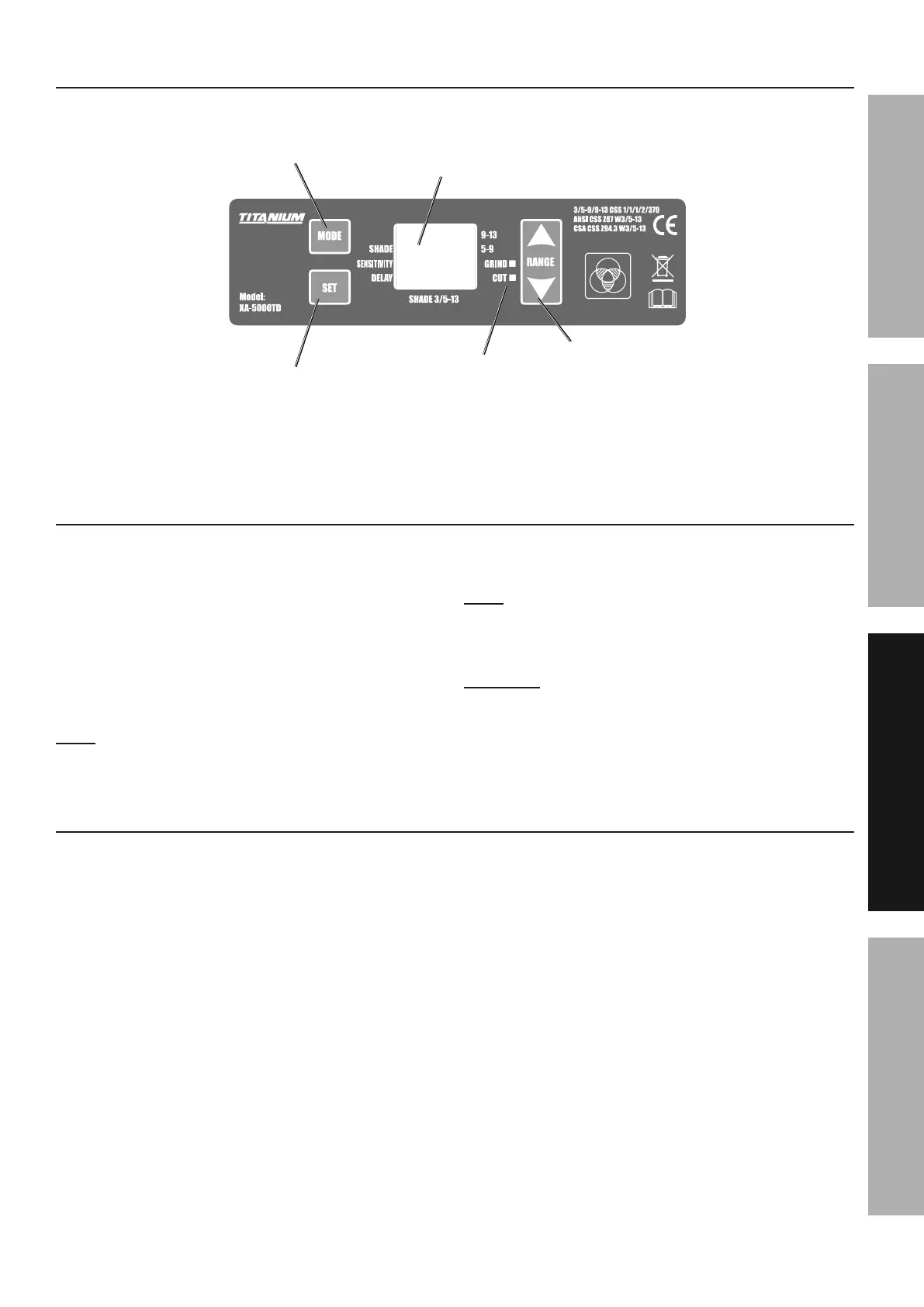
Option
Selection
Mode
Selection
Level
Selection
Display
Mode
Indicator
;"3'(*%R-%%O&8$(&7#
N&9*%E*7*4$"&8%,89%E.,9*%M'5+*(
1. Use Set Switch to choose the Shade option.
2. Press Mode Switch to choose between
Shade 5-9 or Shade 9-13. Selections will
be shown on the display screen.
3. Using the Shade Guide Chart on page 5,
select the shade range required using the Mode
switch and then adjust the Shade Level upwards
or downwards by using the Range switch.
M&$*- If a selection of shades are recommended
for your application, try the darkest setting first.
4. To switch between Cut and Grind
mode, press the Mode switch.
M&$*- To switch modes, you must not be in “Set” options.
5. The light next to “Grind” or “Cut” will
indicate the mode after switching.
OF\GLIMY F2$*(%'#"83%$.*%Q("89%N&9*%#*$%$.*%Z*75*$%
$&%$.*%/(&/*(%#.,9*%#*$$"83%+*2&(*%)*79"83%,3,"81%
6. The shade number can be set from 5 to 9
(cutting) or from 5 to 9 and 9 to 13 (welding)
depending on the shade range selected.
G"5*%T*7,U%,89%E*8#"$"X"$U
1. At the moment the welding operation is started,
the filter screen automatically changes from
clear to dark. The Delay function can vary
the amount of time it takes the filter to return
to a clear state after welding stops. Press
Set Switch to select the Delay option.
2. Use the Range Switch to shorten or lengthen the
delay time. The shortest delay time is 0.1 seconds
(set to 1 using Range Switch). The longest delay
time is 0.9 seconds (set to 5 using Range Switch).
3. The sensitivity setting changes the amount of
light needed to make the filter react. Press the
Set Switch to choose the Sensitivity option.
4. Use the Range switch to raise or lower the
sensitivity (five stages of sensitivity are
available).1 indicates the lowest sensitivity,
and 5 indicates the highest sensitivity.


 To Next Page
 Loading...