E.g:
5. EXPLANATION OF PARAMETERS/CODES IN SMS MESSAGE
Pic
(
1
)
Pic
(
2
)
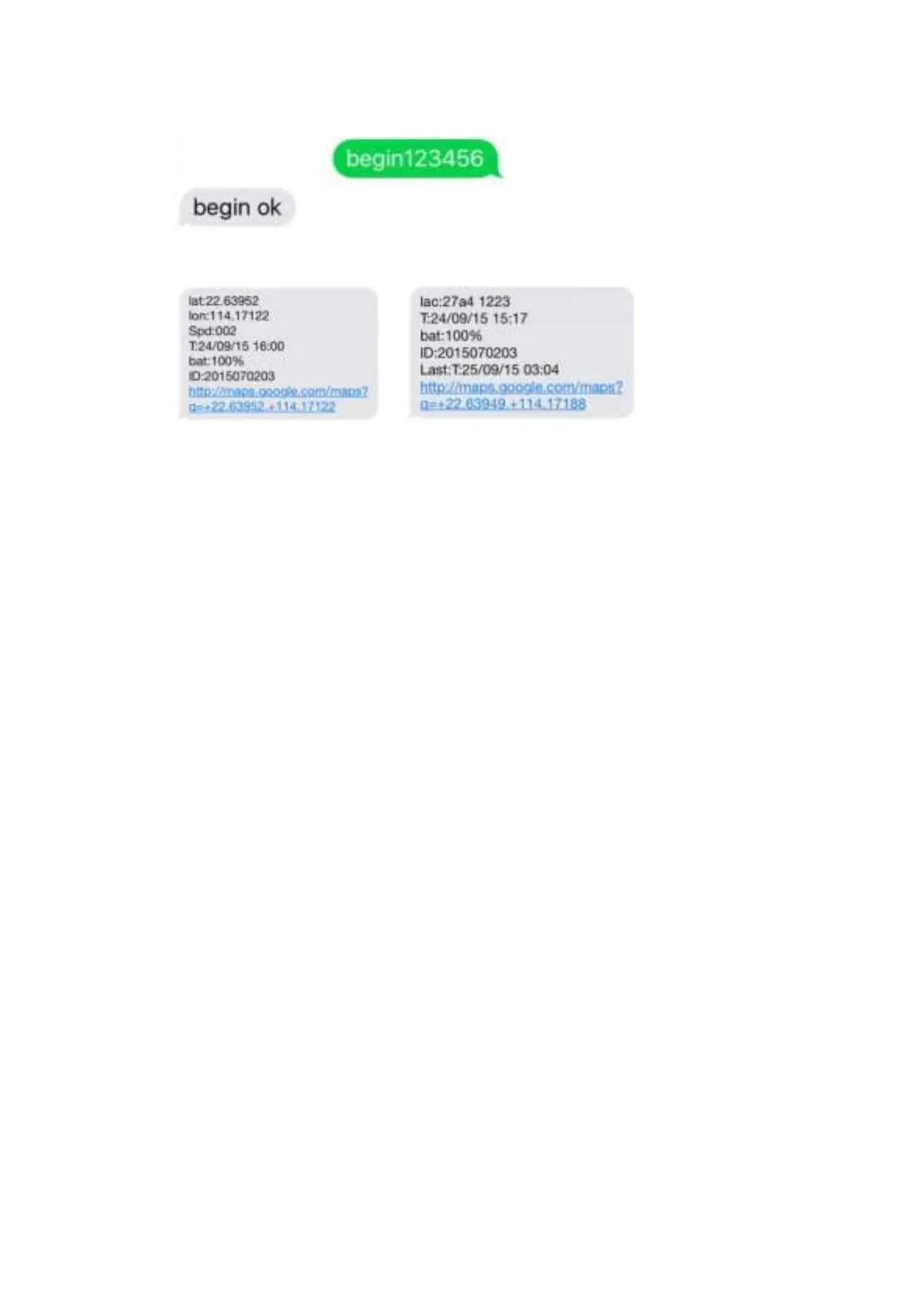
Pic 1
:
Replied real-time tracking information under GPS satellites signal.
Lat:22.63952 lon:114.17122 Positioning of the latitude and longitude values.
Spd:000 This refers to the device moving speed. The unit is km/h.
T:24/09/15 16:00 real-tracking time, the Default is London time. You can
set language and time zone in APP.
Bat:100% The battery value is between 10% and 100%. Once it is less
2015070203: Device ID No. to log in APP and platform.
Google Link: This is the link to the Google map showing the position of
Pic 2
:
Replied LBS tracking information without GPS satellites signal.
Lac:27a4 1223: Real-time LBS positioning data.
T:24/09/15 15:17 LBS positioning time.
Bat
:
100% The battery value is between 10% and 100%. Once it is less
Last:T:25/09/15 03:04 The date and time stamp when the unit last
Google Link: This is the position of last gps signal appeared
6. 0 START ONLINE TRACKING
Pls activate GPRS by sending command “
gprs123456” when the tracker is on, and set APN by
following steps.
Every sim card carrier has own APN content, we have two methods to find out apn content : check sim
card carrier on internet or put sim card into cell phone to find out APN
Two steps to set apn:


 To Next Page