Need help?
Do you have a question about the TK-STAR TK915 and is the answer not in the manual?
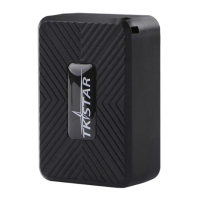
Overview of the product's functionality, technology, and network capabilities for locating and monitoring remote targets.
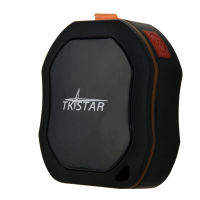
Details the physical specifications, dimensions, weight, network bands, GPS sensitivity, and operating conditions of the device.
Explains the meaning of different indicator light statuses (Yellow, Blue) for GPRS and GPS signals and connections.
Instructions on how to turn on the device, insert the SIM card, and understand initial indicator light behavior.
How to get the device's location via a Google Maps link by calling or sending a specific SMS command.
Instructions for setting and canceling an admin phone number for receiving alerts like over-speed, shake, or low battery.
How to set and cancel an over-speed alarm, specifying the speed limit (e.g., 70km/h) for alerts.
Instructions for setting and canceling a shake alarm, which triggers an SMS alert when the device is shocked.
Details how to set and cancel the anti-tamper (loosing) alarm, which alerts if the sensor is covered or uncovered.
Explains how to set the device to sleep by time mode, reducing power consumption.
Instructions for setting the device's local time zone via SMS commands, with examples for different time offsets.
Command to reset the device's hardware to its default settings.
Explains the meaning of various parameters and codes received in SMS tracking messages, like latitude, longitude, speed, and battery status.
Guide on how to activate GPRS and set the APN for online tracking via SMS commands.
Instructions for accessing the tracking platform via a website, including login details like IMEI and password.
Guidance on downloading and installing the TKSTAR GPS mobile applications from app stores.
Important notices and precautions regarding GPS tracking, SIM card usage, and device handling.
Provides common questions and their solutions for troubleshooting issues like device not turning on, no GPS, or no SMS reply.
 General
| GPS Accuracy | 5m |
|---|---|
| Network | 2G GSM/GPRS |
| Waterproof Rating | IP65 |
| Band | GSM 850/900/1800/1900Mhz |
| GPS Sensitivity | -165dBm |
| Time To First Fix | Cold status 45s, Warm status 35s, Hot status 1s |
| Voltage | 3.7V |
| Humidity | 5% to 95% non-condensing |
| GPS Tracking | Real-time tracking |
| Battery Life | 30 days (depending on usage) |
| Compatibility | Android, iOS |
| Operating Temperature | -20°C to +55°C |
| Storage Temp. | -40°C to 85°C |


 To Next Page