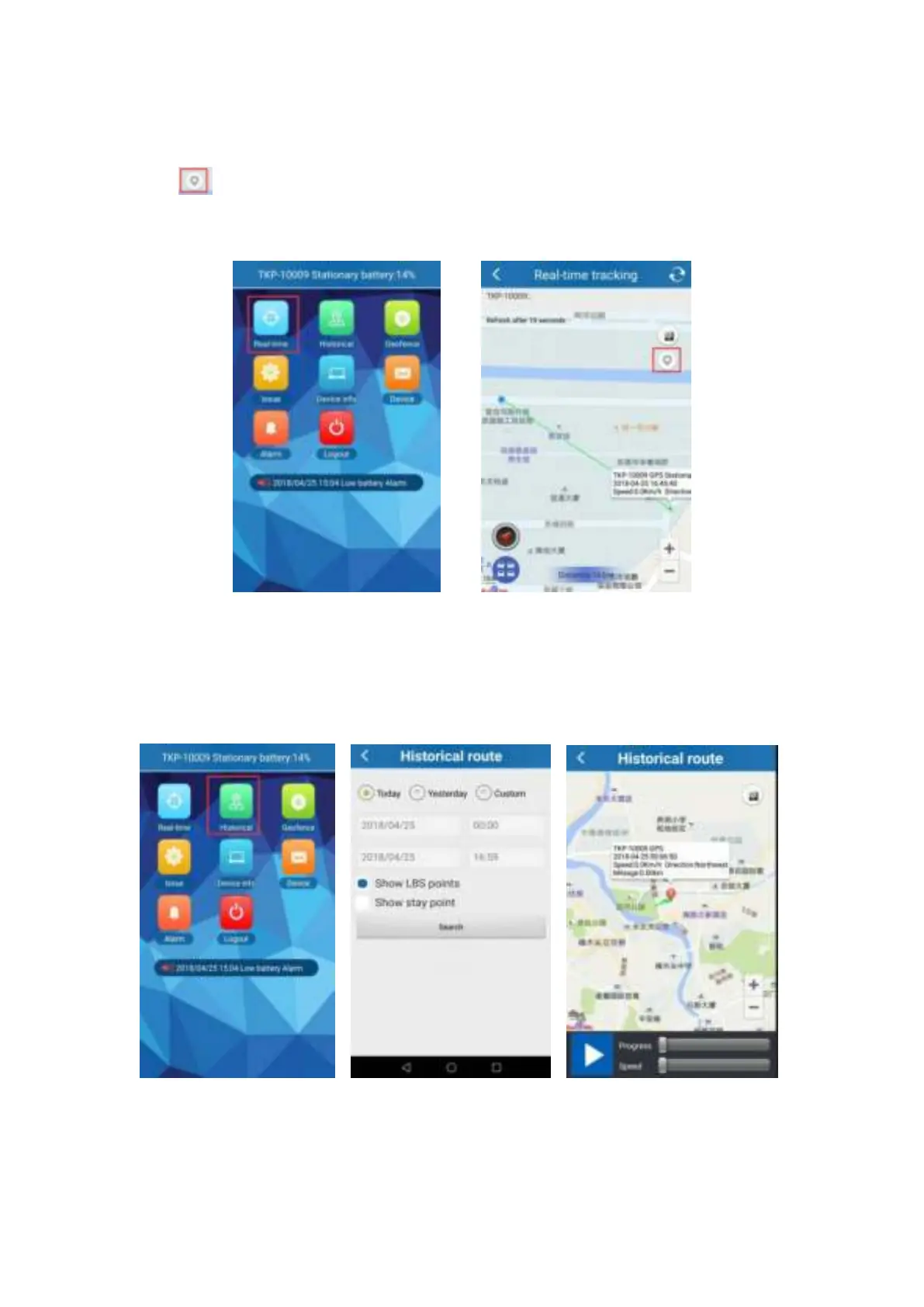
Real-time tracking can not only track the position of the device, but also can track the position of
smart phone, user can click “+” and “-” to zoom in and zoom out the map.
Click“
” once , APP will show you the latest position;or call the phone number in tracker ,
you will get the Google link in SMS.
6.6 Historical track playback
Historical track could find the route map for nearly six months by choosing the beginning and
ending time.
6.7 Geo-fence
Click on the upper right corner “+”under main menu for setup geo-fence. Then the device will
lock device’s present position as center automatically, then adjust the radius distance by “+”


 To Next Page