Open the rubber cover, insert the SIM card(chip up) to the slot.
The indicator light is on when SIM card is inserted.
The device gets GPS location when there is GPS signal and gets LBS location when there is no GPS
signal.
The device automatically turns off when the SIM card is removed.
4.SMS TRACKING
4.
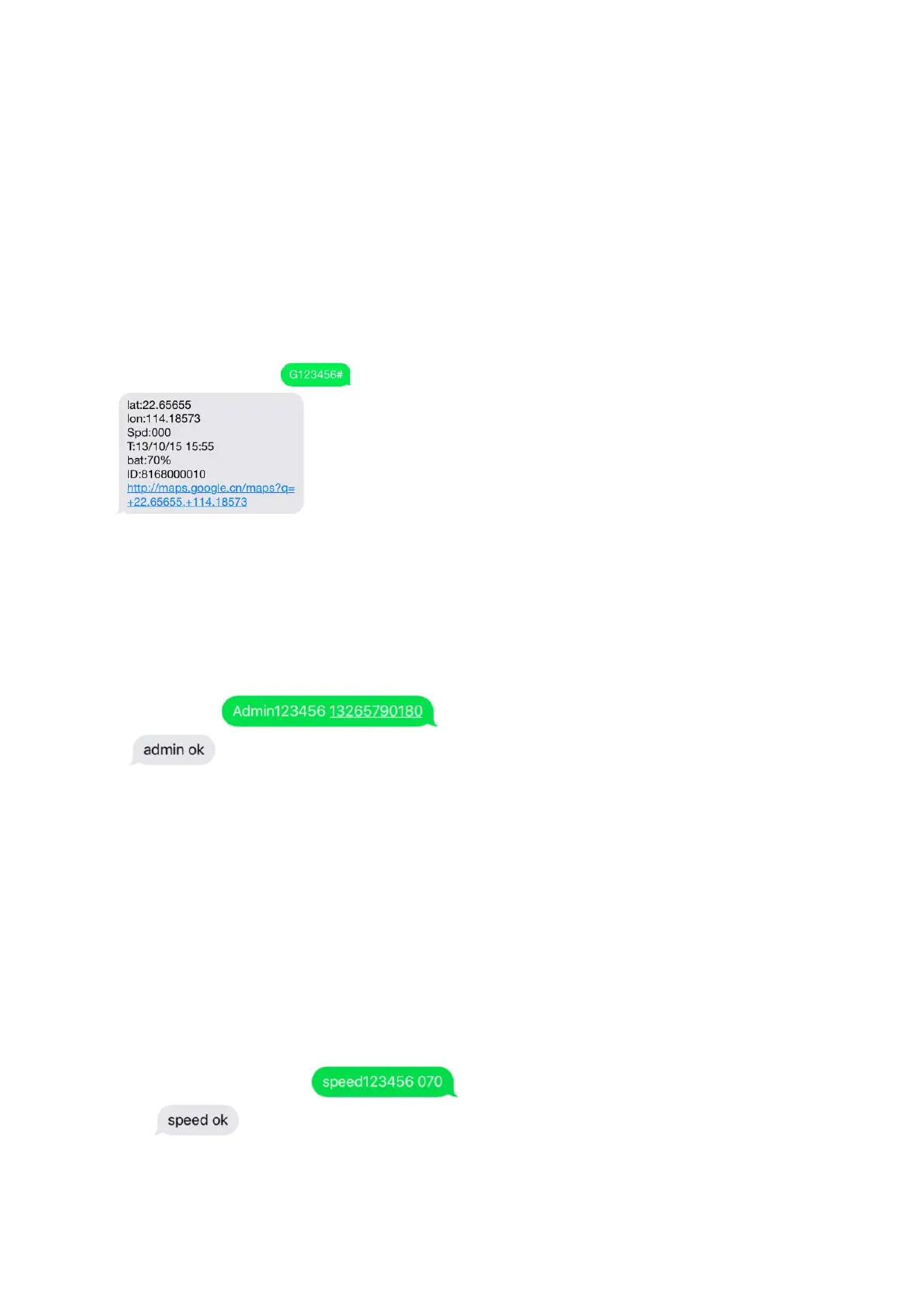
1. Call the SIM card phone number in tracker,you will receive a Google Maps link of position,
or sending message “G123456#” to SIM card phone number in tracker .
E.g:
4.2. Admin number setting (After admin number setting, all SMS operations to the device are under this number
only.)
Command: admin123456 phone number(This phone number is your own mobile phone number , not the
SIM card number in tracker .)
Reply:
admin ok
E. g:admin123456 13265790180
When the unit is in over-speed alarm, shake sensor alarm, or low battery alarm, it will send alert to the admin
number.(13265790180)
Admin number Canceling:
Command :noadmin123456
Reply:noadmin ok
4.3. Over-speed Alarm setting(It works only in continuous positioning mode.)
Over-speed Alarm setting:
Command :speed123456 070(Suppose speed is 70km/h)
Reply:speed ok
E.g:
When the unit speed is over 70km/h, it will send message “speed alarm!” to the admin number every 5



 To Next Page