Pic(1) Pic(2)
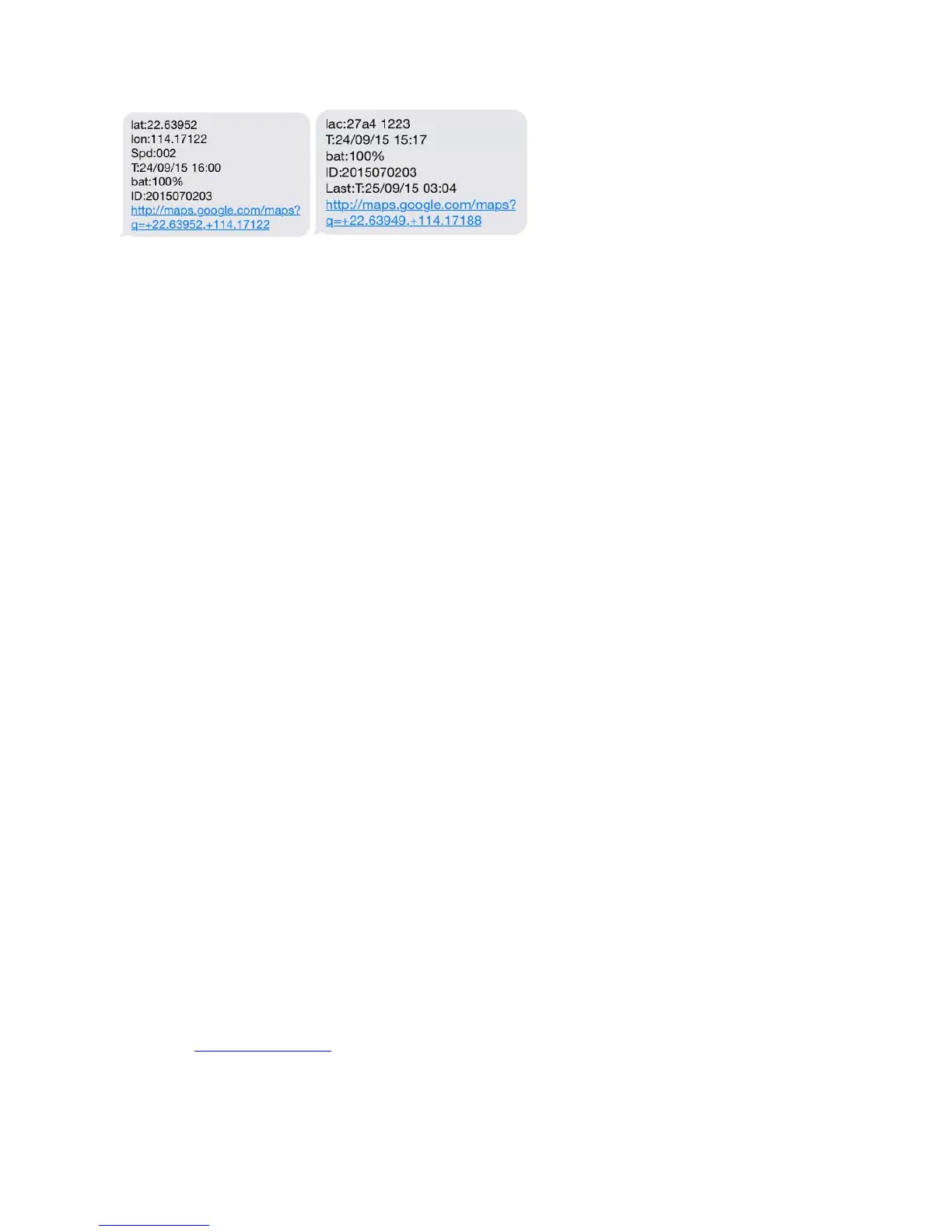
Pic 1:Replied real-time tracking information under GPS satellites signal.
Lat:22.63952 lon:114.17122 Positioning of the latitude and longitude values.
Spd:000 This refers to the device moving speed. The unit is km/h.
T:24/09/15 16:00 real-tracking time, the Default is London time. You can set language and
time zone in APP.
Bat:100% The battery value is between 10% and 100%. Once it is less than 30%, it
alarms.
2015070203: Device IMEI No. to log in APP and platform.
Google Link: This is the link to the Google map showing the position of the device.
Pic 2:Replied LBS tracking information without GPS satellites signal.
Lac:27a4 1223: Real-time LBS positioning data.
T:24/09/15 15:17 LBS positioning time.
Bat:100% The battery value is between 10% and 100%. Once it is less than 30%, it
alarms.
Last:T:25/09/15 03:04 This is the time when tracker got last GPS signal
Google Link: This is the position of last gps signal appeared
6. 0 START ONLINE TRACKING
Pls activate GPRS by sending command “gprs123456” when the tracker is on, and set APN by following steps.
Every sim card carrier has own APN content, we have two methods to find out apn content : check sim card
carrier on internet or put sim card into cell phone to find out APN
Two steps to set apn:
1), Turn on gprs function by sending command “gprs123456”
2),Set apn by sending command “apn123456 content” , “apnuser123456 content” ,“apnpasswd123456 content”
pls note the content is from SIM card carrier , there is small blank after 123456 in every command.
6.1 WEBSITE TRACKING
Platform :www.mytkstar.net
Select “Log in by IMEI” on the bottom of screen
IMEI No. : on the back side of cover
Password: 123456



 To Next Page