Injection Molding Machine Chapter 4
V3.0
4-13
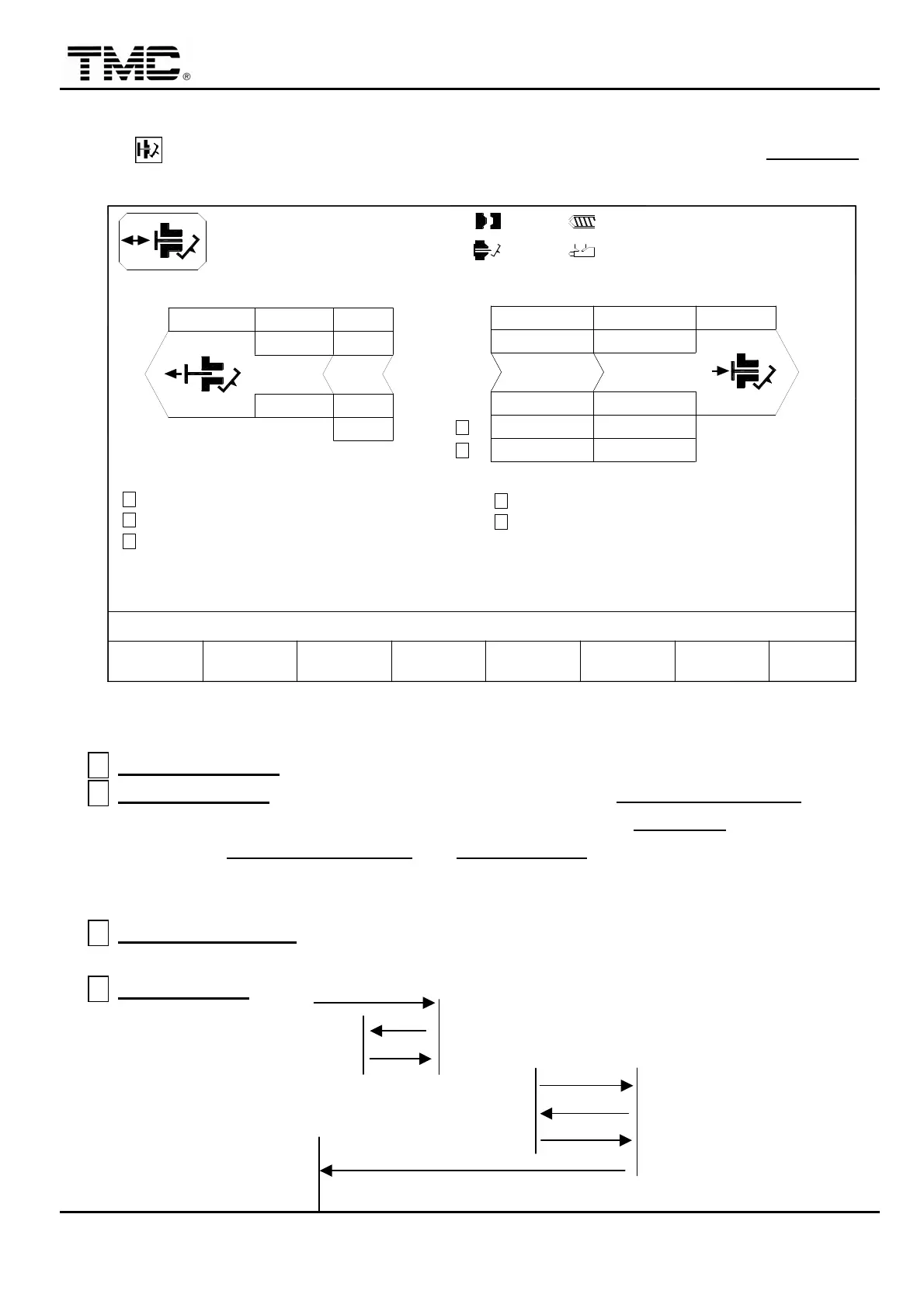
2.5 Ejector setting
Press HOT key or use the direction key in the main menu to move cursor to EJECTION
then press ENTER to display ejector screen.
FWD.1 FWD.2 FWD. END
PT mm
P bar
V %
V1: 0/ 0 0/ 0V2:
0/ 0P1: 0/ 0 P2:100.0mm
100.0mm
110.0mm
0.2mm
ACTION STATUS
M:
14D05M10Y
10h25m10s
20°C5W
EJECT FUNCTION
EJECT SHAKING
ON
OFF
30
0.5
10
40
25.0
90 100
80.0
140
PARAMETER
EJECT.F2F1 F3 F4 F5 F6 F7 F8
MOLD ADJ. CORE LOG SUPPORTMENU
02
I/O
RET.END
RET.2
OFF
PRODUCT SENSOR
EJECT RET. MID. PT.
< 60.0>
CHANGE MOLD EXTERN PROD.
MANAG.
C
B
A
F
30
RET.1
50
10.0
0.2
DELAY
COUNT
0.2 0.3
43
ROBOT CYCLE TIME
G
< 60.0>
D
E
Screen 4-8
A
EJECT FUNCTION
:
Set on to run ejector process.
B
EJECT SHAKING
:
To run ejector shaking sequences
,
set EJECT RET. MID. PT.
a little
smaller than FWD END position
,
ejector will move forward to FWD. END and then move
backward to EJECT RET. MID. PT.
until EJECT COUNT is reached. This process will
make ejector move forward and backward quickly to shake parts down.(No need to set
the function on)
C
PRODUCT SENSOR
:
Photo sensing device is used to confirm dropped parts. It is an
OPTIONAL DEVICE.
D
EJECT COUNT
: FWD.1 1
2 FWD.1
RET.1 3 PT.
1
EJECT RET. 2
MID. PT 3
4
RET. END PT.
BILL 2
1
2


 To Next Page
 Loading...