Injection Molding Machine Chapter 4
V3.0
4-15
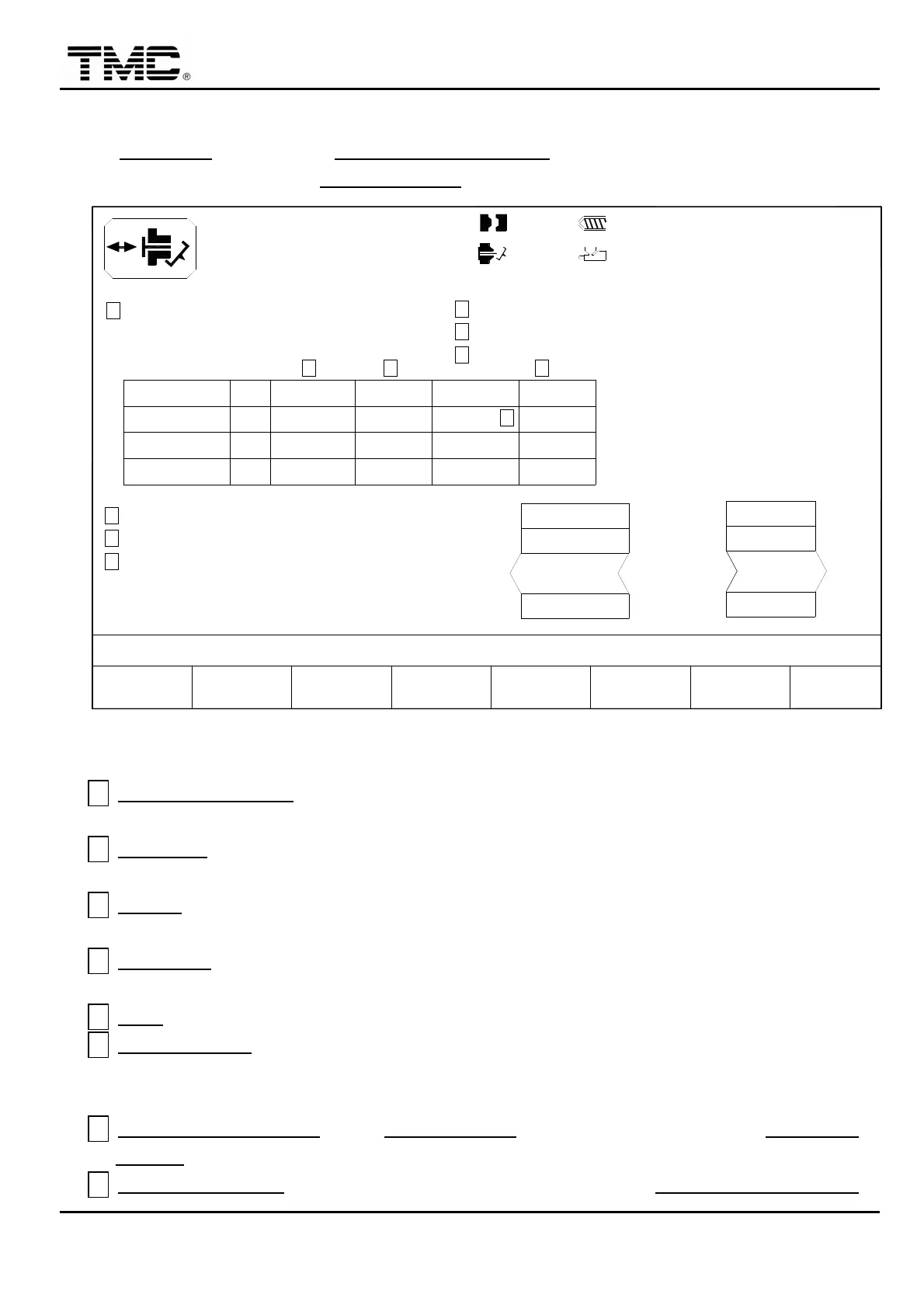
2.6 Ejector parameters
On EJECTION screen press F2 EJECT. PARAMETER or use the direction key in the main
menu to move the cursor to EJECTION PAR. then press ENTER to display this screen.
10h25m10s
20°C
POSITION
IN MOLD CUT DELAY
CUT EJ.BACK DELAY
K
F2F1 P/V
MENU
01
RAMP
FIX SIDE
OFF
BLAST #3
IN MOLD CUT
J
I
OFF
MOVE SIDE
AIR BLAST SW.
OFF
ALARM OFF EJECT
A
3W
< 0.0 > 0.0
SUPPORT
MOLDF3 F4
MOLD ADJ.
F5 F6CHANGE
LOG
30
10.0
MANAG.
PROD.F7 F8EXTERN
I/O
P Bar
PT. mm
140
30.0
100.0mm
100.0mm
EJECT ON FLY DELAY
INTERVAL
000.0
000.0
000.0
320.0 000.0
OFF
< 0.0 >
320.0
0.0
000.0
DELAY
320.0
B
000.0
C
H
000.0 000.0
PRE EJE.B
000.0
10
000.0
TIME
000.0
EJECT ON FLY PT.
D
E
000.0
OFF
F
G
EJECT ON FLY
110.0mm
PRE EJE.F
V %
100
< 000.0> mm
0/ 0
0/ 0 0/ 0
< 0.00>
OFF
P1:
0.00
P2:
0/ 0V1: V2:03D05M07Y
ACTION STATUS
M:
0.2mm
Screen 4-9
A ALARM OFF EJECT
:When set on,ejector doesn’t move forward when alarm occurred to
prevent mixing good parts and bad parts.
B POSITION:when the mold is opened to this set position,air blast blowing delay time will
start timing,upon completion of timing,blow operation takes action.
C DELAY
:air blast delay time,when the mold is opened to air blast start position, air blast
delay time will start timing,upon completion of timing,blow operation takes action.
D INTERVAL:time interval between air blast on and off,set zero to make air blast on
contineously.
E TIME
:air blast on time.
F EJECT ON FLY:start ejector process while mold is still opening.
Remarks: this is an option feature.
G EJECT ON FLY DELAY:when EJECT ON FLY is on,and mold is opened to EJECT ON
FLY PT.,this timer starts.
H EJECT ON FLY PT:when mold is opened to this position and EJECT ON FLY DELAY


 To Next Page
 Loading...