Injection Molding Machine Chapter 4
V3.0
4-24
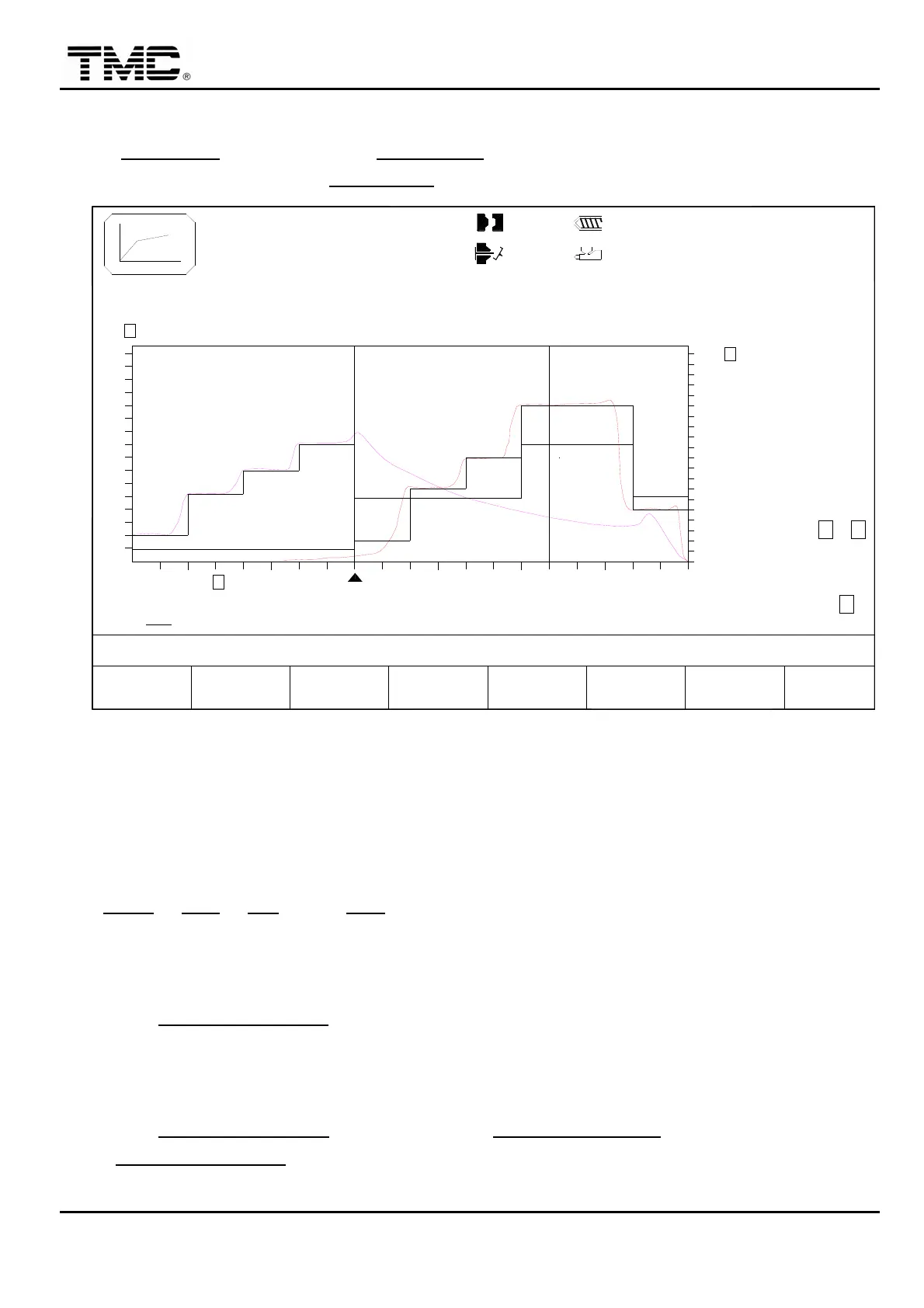
2.11 Injection closed loop control
On INJECTION screen press F4 INJ. GRAPH or use the direction key in the main menu
screen to move the cursor to INJ. GRAPH,press ENTER to display this screen.
V1: 0/ 0 0/ 0V2:
0/ 0P1: 0/ 0 P2:100.0mm
100.0mm110.0mm
1.0mm
ACTION STATUS
M:
03D05M07Y
10h25m10s
20°C3W
: 100%
P ACTUAL
V ACTUAL
F2F1 F3 F4 F5 F6 F7 F8
MODEMENU
01
: 100Bar
= sec.
P ACT
: 95bar : 76%
CPM
CPP
CPI
CPD
FUNCT.
TRANS. PT
: 10.0mm
INJ. END PT.
START PT.
INJ. T.
: 80.0mm
: 1.2sec
ON ON
HOLD P
INJ.
= 2.5 sec.
P SET
: 100bar : 75%
V SET
V ACT
= 50.0mm
= 50.0mm
CURSOR CLEAR
DATA
WINDOW
SCALE<-
WINDOW
SCALE->
A
B
X=TIME:OFF
F
P/V
RAMP
0
100%
E
135
90
45
180
0
100%
50
25
75
100
%
D
bar
C
50
0
10
10
50
0
10
10
: 6.5mm
Screen 4-14
1.It is an optional device,by means of a pressure transducer on the injection cylinder,the
actual pressure of the cylinder can be measured,through the high speed closed loop control
inside the control computer,makes the molding process more accurate.
2. CPM, CPP, CPI, and CPD are closed loop control parameters,which have been
adjusted precisely before factory delivery,users shall not change them to prevent affecting
the machine performance.
3.When F3 CURSOR MODE ON,direction key”↑” is for quickly left shift,“←” is for slightly
left shift,“↓” is for quickly right shift,“→” is for slightly right shift. They can be used to move
vertical line to check the position,pressure,speed and time.
4.When F3 CURSOR MODE
OFF,press F6▲ P/V TRANS. POINT move to left,press F7
▲ P/V TRANS. POINT
move to right. It could be used to enlarge and reduce the injection
speed and holding pressure scale.


 To Next Page
 Loading...