Injection Molding Machine Chapter 4
V3.0
4-56
D
) Press manual injection key to perform injection operation.
E
) Press manual charge key (One Touch)
,
starts charging to setting position.
F
) Press manual suck back key to perform suck back operation.
G
) Press manual carriage retract key to perform carriage retract operation.
H
) Press manual clamp open key until clamp open is completed.
I
) Press manual ejector advance key to perform ejector advance operation.
J
) Press manual ejector retract key to perform ejector retract operation.
4.2 Semi automatic operation
After
completion of manual operation
,
open front operator gate
,
do the following semi-auto operation
procedures:
A
) On clamp close screen
,
set
INTERVAL T.
properly.
B
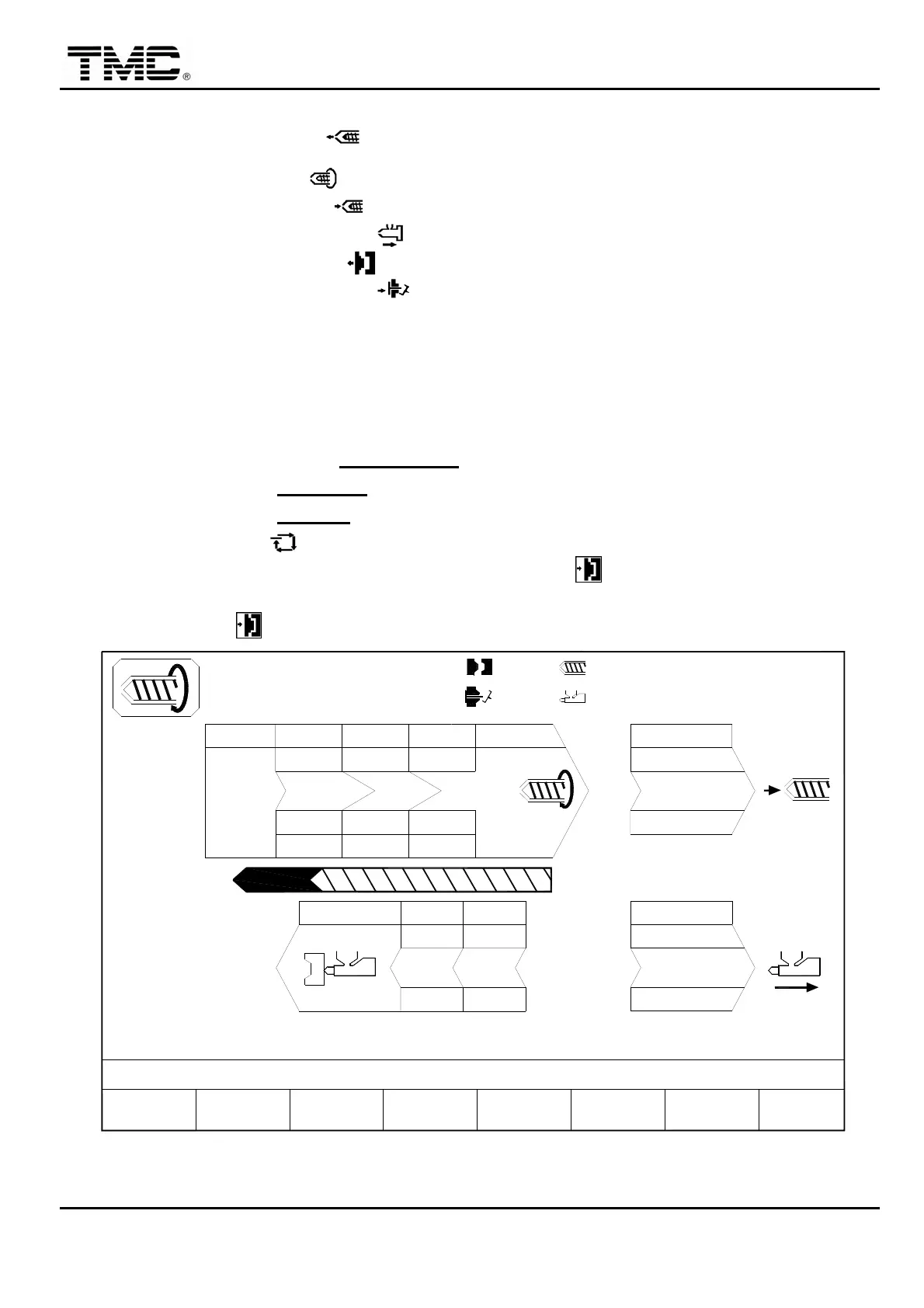
) On charge screen set
CHA. END
position to 0. (Refer to following figure)
C
) On charge screen set
SUCK B.
position properly. (Refer to following figure)
D
) Press semi-auto key .
E
) Close front operator gate
,
press and manual clamp close key (One Touch).
F
) Upon end of cycle
,
open front operator gate
,
then close it again
,
and press and release manual
clamp close key again(One Touch)
,
machine will perform next cycle.
PTmm
Pbar
V%
V1: 0/ 0 0/ 0V2:
0/ 0P1: 0/ 0 P2:100.0mm
50.0mm
110.0mm
1.0mm
ACTION STATUS
M:
03D05M07Y
10h2510s
20°C3W
SUCK BACK
COOLING T.
ON
< 20.0> 0.0
CHARGE MONITOR T.
CHARGE DELAY T.
PROFILE
F2F1 F3 F4 F5 F6 F7 F8
MENU
05
21
BPbar
CH. END
0.0
SUCK B.
F.W. END
B.W. END
< 15.0> 0.0
< 0.2> 0.0
INJ END
123
10.0 0.0 0.0
100100100
000
V%
Pbar
PTmm
50 50 50
+100.0
50
40
150.0
80
707070
30.010.0
8010
B.P.
PURGE
AUTO CHANGE
LOG
MOLD
SUPPORT FUNCTION
PROD.
MANAG.
WGT. g
60.0
CARRIAGE
B.P ACT 0
RPM 0
SUCK
BACK
CHARGE
PARAMETER
Screen 4-39


 To Next Page
 Loading...