Pairing and intercom between headsets
1. Pairing and intercom between two
Bluetooth intercoms (A,B)
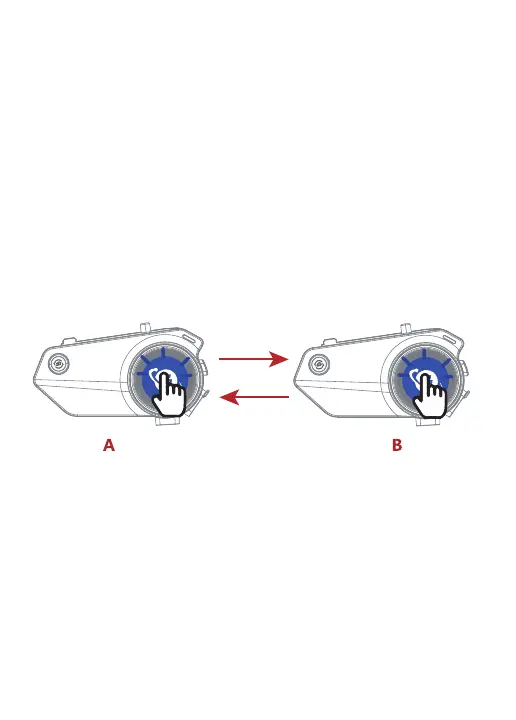
1) Turn on the two Bluetooth intercoms (A,B), press and hold the A,B intercom
[multi-function button] for 3 seconds.At this time, red and blue lights
alternately flashing, passive pairing mode on.
2) Short press the [intercom button] of A, red and blue lights alternately slow
flashing, into the active pairing mode.When you hear the "searching" prompt
voice, active pairing is on.
3) voice prompt "device connected", the two intercoms connected successfully,
the blue light flashes slowly.
Attention:
1. After the intercom pairing is successful, when intercom, if there is a cell
phone call, the device will automatically cut off intercom. After the call is over,
it will automatically connect back to the intercom state.
2. In the process of intercom, because of distance or environmental factors
such as disconnection, you can manually short press the [intercom button]
once, manually back to connect.
3. When the device is in standby mode, short press the [intercom button] to
talking; short press the [intercom button] to turn off the talking in the talking
state. Short press the volume up/down button to adjust the talking volume.
Active/passive pairing operation:


 To Next Page