EasyManua.ls Logo

TNICER T5 - User Manual

TNICER T5
14 pages
Print Icon
To Next Page IconTo Next Page
Loading...
HELMET BLUETOOTH HEADSET
Bluetooth
Question and Answer IconNeed help?

Do you have a question about the TNICER T5 and is the answer not in the manual?

Summary

Product Introduction

Product Diagram Overview

Diagram illustrating the components and buttons of the TNICER T5 helmet Bluetooth headset.

Function Description

Key Features and Specifications

Details on Bluetooth version, intercom range, battery life, waterproofing, and audio features.

Button Functions and Operations

Power and Reset Operations

Instructions for turning the device on and off, and resetting it.

Call Answering and Management

How to answer, reject, end calls, and manage auto-answer.

Music and Sound Features

Music Playback Controls

Instructions for play, pause, next, and previous song selection.

Volume and EQ Adjustment

How to adjust volume and switch EQ sound effects.

Music Sharing Function

Steps to enable and disable music sharing between devices.

Pairing Operations

Bluetooth Pairing with Cell Phone

Detailed steps for pairing the headset with a mobile phone via Bluetooth.

Pairing and Intercom Operations

Headset Pairing Procedure

Instructions for active/passive pairing between two Bluetooth intercom headsets.

Intercom Management and Control

Managing intercom calls, reconnections, and mode activation/deactivation.

Advanced Functions

Voice Assistant and Auto-Answer

Activating voice assistant and managing the auto-answer call feature.

Device Management and Status

Procedures for device reset, redialing, and checking battery level.

Installation Guide

Adhesive Pad Mounting Method

Step-by-step guide for attaching the headset mount using adhesive pads.

Metal Clip Mounting Method

Guide for mounting the headset using a metal clip.

Headset Removal Procedure

Instructions on how to detach the headset from the helmet mount.

Package Contents and Charging

Included Accessories List

List of all items included in the product package.

Charging Instructions and Indicators

How to charge the device and understand the LED charging indicators.

Product Specifications and Safety

Technical Specifications Summary

Key technical specifications like working distance, Bluetooth version, and battery capacity.

Safety Precautions and Battery Care

Important safety warnings and battery maintenance advice.

Overview

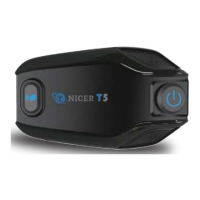
The TNICER T5 is a helmet Bluetooth intercom headset designed for motorcycle riders, offering a comprehensive suite of features to enhance the riding experience. It provides clear, safe, and comfortable communication and entertainment options during your journey.

Function Description

The headset is built around a Qualcomm version 5.2 Bluetooth chip, ensuring stable system operation and efficient connectivity. It incorporates intelligent DSP audio processing and the 12th generation of CVC noise reduction processing, which allows for a 16K voice bandwidth transmission rate. This advanced noise cancellation technology is designed to provide clear audio even at speeds up to 120 km/h, making conversations and music listening enjoyable.

The TNICER T5 supports 2-way intercom communication over a distance of 500 meters, enabling two riders to stay connected. It boasts a high pairing speed, allowing for quick and hassle-free setup. For audio quality, the headset features 40mm tuning speakers that deliver a wonderful sound experience, complemented by three distinct EQ sound effects (DJ music, popular music, and pure vocals) that can be switched to suit your preference.

Music sharing is a key feature, allowing one device to share music with another paired device. The headset also includes a voice assistant function for hands-free control. For phone calls, it offers automatic answering and supports redialing the last dialed number. An intelligent pickup microphone ensures your voice is captured clearly.

The device is designed for durability with an IP67 level waterproof rating, making it suitable for various weather conditions. Powering these features is a 600mAh battery, providing up to 25 hours of intercom or phone call time. The TNICER T5 also supports pairing with other brands of headsets, expanding its compatibility.

Usage Features

The TNICER T5 offers intuitive button functions for easy operation.

  • Power On/Off: To power on, press and hold the multi-function button and intercom button simultaneously for 3 seconds. A power-on prompt will sound, and a blue light will illuminate. To power off, repeat the same action; a power-off prompt will sound, and a red light will illuminate.
  • Reset: In the power-on state, press and hold the multi-function button, volume down button, and volume up button for 5 seconds. The device will reset after the red and blue lights come on at the same time.
  • Answering Calls: When an incoming call rings, a short press of the multi-function button will answer it. To reject a call, press and hold the multi-function button for 2 seconds. To end a call during an ongoing conversation, short press the multi-function button.
  • Automatic Answer: To enable auto-answer, long press the multi-function button and volume down button for 2 seconds in standby mode. To cancel this feature, long press the same buttons for 3 seconds.
  • Last Number Redial: In standby mode, quickly double-click the multi-function button to automatically redial the last number.
  • Volume Adjustment: Short press the volume up button to increase volume and the volume down button to decrease it.
  • Music Control: In a Bluetooth connection state, short press the multi-function button to play or pause music. To skip to the next song, long press the volume up button for 2 seconds. To return to the previous song, long press the volume down button for 2 seconds.
  • EQ Sound Effects Switching: While music is playing, short press the volume up button twice to cycle through the three EQ sound effects.
  • Music Sharing: To initiate music sharing, ensure two devices (A and B) are on. Device A connects to a cell phone's Bluetooth with music paused. Then, pair devices A and B (not in intercom state). After successful pairing, press and hold the intercom button and volume up button on device A for 3 seconds to turn on music sharing. To turn off sharing, repeat the same action. The initiating headset (A) can pause/start sharing by short pressing the multi-function button.
  • Bluetooth Pairing with Cell Phone: In the power-on state, press and hold the multi-function button for 5 seconds until red and blue lights flash alternately, indicating Bluetooth pairing mode. On your cell phone, search for "Tnicer-T5" in Bluetooth settings and connect. A voice prompt will confirm successful connection. If you've previously connected to other phones, reset the device and try again.
  • Pairing and Intercom Between Headsets: To pair two TNICER T5 headsets (A and B) for intercom, turn both on. Press and hold the multi-function button on headset B for 3 seconds (passive pairing mode, red and blue lights flash alternately). Then, short press the intercom button on headset A for 3 seconds (active pairing mode, red and blue lights flash slowly). A "search" prompt will sound, followed by "device has been connected" upon successful pairing.
  • Intercom Operation: In standby mode, short press the intercom button to turn on the intercom. Short press it again to turn off. Adjust intercom volume with the volume up/down buttons. If a cell phone call comes in during intercom, the device will automatically cut off the intercom and reconnect after the call. If disconnected due to distance, short press the intercom button to manually reconnect.
  • Voice Assistant: In standby mode, short press the intercom button and volume down button to activate the voice assistant.
  • Battery Level Reminder: In standby mode, short press the volume up button and volume down button to hear the device's battery level. A low battery reminder will also be provided when necessary.
  • Auto-Answer Phone Call: In the power-on state, press and hold the multi-function button and volume down button for 2 seconds to enable auto-answer. Repeat the action for 2 seconds to disable it.

Installation

The TNICER T5 offers two installation methods:

  • Method 1: Double-sided Adhesive Pad:
    1. Place the double-sided adhesive pad onto the mounting bracket.
    2. Attach the mounting bracket with the double-sided tape onto the helmet.
    3. Snap the headset into the mounting bracket until it is securely in place.
  • Method 2: Metal Clip:
    1. Adhere the single-sided adhesive to the mounting bracket.
    2. Snap the metal clip into the mounting bracket.
    3. Insert the metal clip into the helmet.
    4. Snap the headset into the base until it is securely in place.

Important Installation Note: The microphone logo on the microphone plug must be inserted upwards.

Removing the Headset: To quickly remove the Bluetooth headset from the helmet, first unplug the headset cable. Then, press the middle of the metal clip fixing snap with one finger towards the helmet side. This will disconnect the metal clip from the device. While pushing up the device, allow it to slide out of the metal clip smoothly to complete the disassembly.

Maintenance Features

  • Charging: Use the provided special TYPE-C charging cable. Connect the TYPE-C end to the intercom's charging port and the USB end to a power source (computer USB port, mobile power supply with DC 5V output, or a DC 5V 1A USB power adapter). During charging, a red LED light will stay on. Once fully charged (approximately 2 hours from low battery), the red light will turn off, and a blue light will illuminate.
  • Long-Term Storage: If the device is not used for a month or more, charge it every two months to protect the lithium battery.
  • Safety Precautions: Do not expose the product to open flames to prevent explosions. The device should not be opened by users themselves to avoid short-circuiting the main board or damaging the battery, which could affect normal use.

TNICER T5 Specifications

General IconGeneral
Driver Size40mm
Frequency Response20Hz - 20kHz
Impedance32Ω
Sensitivity105dB
Connection3.5mm AUX
MicrophoneYes
Cable Length1.2m

Related product manuals