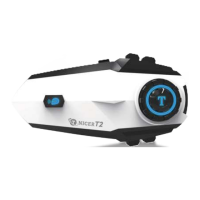
Attention:
The microphone logo on the
microphone plug needs to
be inserted upwards,as
shown in the picture:
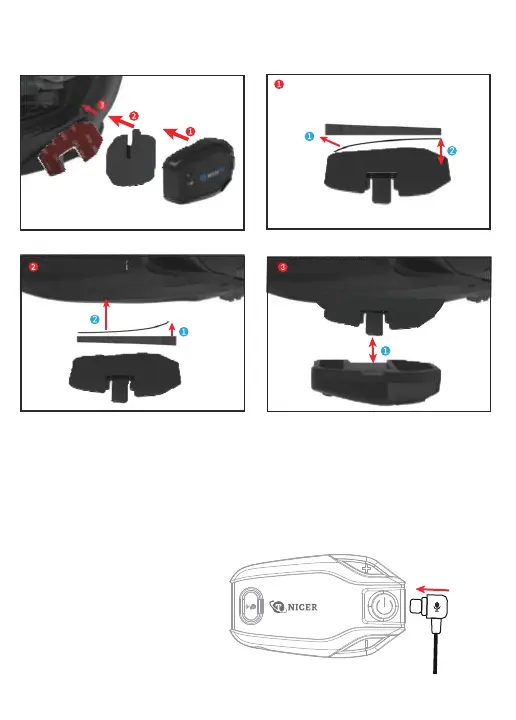
Intercom
Mounting
bracket
Double sided
adhesive pad
Helmet
Put the double- sided adhesive pad on the
mounting bracket
Put the mounting bracket w ith double- sided
tape on the helmet
S nap the headset into the mounting bracket,
the installation is complete
Installation
Method 1: Use double-sided adhesive pad


 To Next Page