Button Functions and Operations
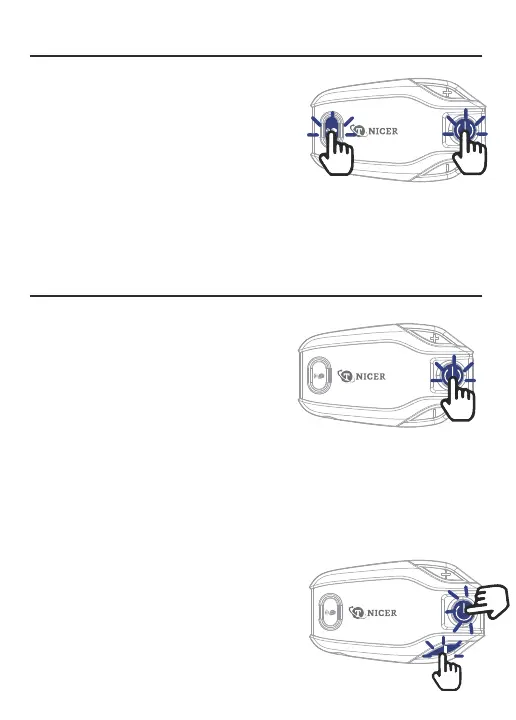
Power on: Press and hold the [multi-function button
+ intercom button] for 3 seconds, the power-on prompt
will sound, and the blue light will be on.
Power off: Press and hold the [multi-function button
+ intercom button] for 3 seconds,the power off prompt
sounds, and the red light is on.
Reset: Press and hold the[multi-function button+volume down button+volume up button] for
5 seconds in the power-on state,reset after the red and blue lights come on at the same time.
Power on/off
Answer incoming calls: When there is an
incoming call, short press[Multi-function button] to
answer the call.
Automatic answer: In standby mode, long press
[multi-function button+ volume down button] for 2
seconds to turn on auto-answer.
Answering Function
Reject: Press and hold [multi-function button] for 2 seconds to reject the call when you hear
an incoming call ringing.
Last redial: In standby mode, quickly double-click [multi-function button] to
automatically dial the last number dialed.
End call: During a call, short press [multi-function button] to end the call.
Cancel auto-answer: If you don't need the
auto-answer function, you can long press
[multi-function button+ volume down button]
for 3 seconds to cancel the auto answer.
About 3 sec
About 3 sec



 To Next Page