EasyManua.ls Logo

TOA-DKK TB-31 - User Manual

TOA-DKK TB-31
88 pages
Print Icon
To Next Page IconTo Next Page
Loading...
Please keep this instruction manual close at hand of the persons who are in charge of
the operation of this product.
Before operating this product, please read this instruction manual carefully for its
correct handling.
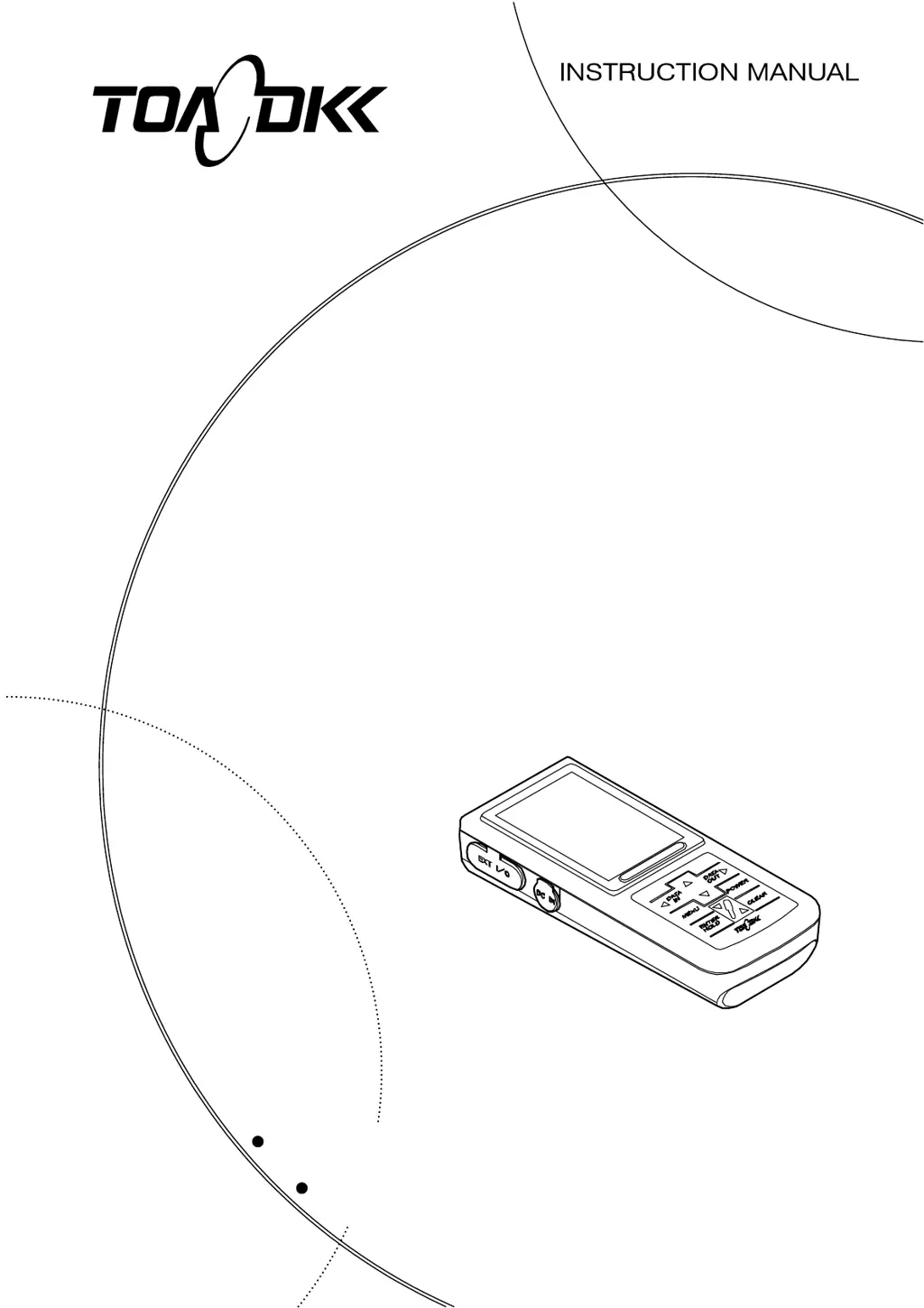
HAND HELD TURBIDITY METER
MODEL TB-31
No. TB3-LB16000E

Table of Contents

Questions and Answers

Summary

Introduction

Optional Device Connectivity

Describes optional devices that can be connected to the instrument.

Safety Information

Meaning of Markings

Defines signal terminology and symbols used in warnings.

Safety Compliance Items

Lists safety compliance items and warnings.

General Safety Precautions

Covers tumbling, waterproofing, mixing, disassembly, and label precautions.

Warranty

Warranty Coverage

Details the warranty period and coverage for DKK-TOA products.

Limited Warranty Conditions

Lists cases not covered by the limited warranty.

Reading Guide

1. Content of Package

2. Specifications and Functions

Product Specifications

Lists technical specifications of the instrument.

Instrument Functions

Details the various built-in functions of the instrument.

3. Name and Function of Each Part

Main Body and Operation Panel

Describes the main body and operation panel, including key functions.

Display Screen Elements

Explains the various elements of the instrument's display screen.

Turbidity Sensor (Model ELL-011)

Details the names and contents of the turbidity sensor.

4. Preparations

Loading the Batteries

Step-by-step guide for loading the instrument's batteries.

Protective Cover Handling

Instructions for fitting and removing the protective cover.

Turbidity Sensor Connection

Procedures for connecting the turbidity sensor to the instrument.

Turbidity Sensor Preparation

Steps for preparing the turbidity sensor before use.

5. Basic Operation

Operation Screens Map

A visual guide to the instrument's operation screens and navigation.

Powering On the Instrument

Instructions on how to power the instrument on.

Setting the Date and Time

Guide for setting the instrument's date and time.

Calibration Data Management

Instructions for displaying and deleting calibration data.

Performing Calibration

Step-by-step guide for performing zero and span calibration.

Measurement Procedures

Overview of measurement modes and general precautions.

6. How to Use Various Functions

Auto Hold Function

Explains the auto hold function for automatic measurement stability checking and saving.

Data Memory Function

Details the data memory function for storing and recalling measurements.

Interval Function

Explains the interval function for automatic measurements at set intervals.

Display Range Switching

How to set the display range (auto, low, high).

Measurement Unit Setting

How to switch between NTU and mg/L measurement units.

Response Setting

How to adjust response settings (normal, fast, slow).

Temperature Calibration

Guide for performing temperature calibration for precise measurements.

Memory Overwrite Setting

How to set whether to overwrite data or not when exceeding 1000 entries.

Buzzer On;Off Setting

How to turn the buzzer sound on or off.

Auto Power Off Setting

How to configure the auto power off feature.

7. Functions by Optional Devices Connection

Connecting Optional Devices Overview

Overview of connecting optional devices like AC adapter, printer, etc.

AC Adapter Connection

Instructions for connecting the optional AC adapter.

Analog Output Cable Connection

Instructions for connecting the analog output cable.

External Printer Cable Connection

Instructions for connecting the external printer cable.

RS-232 C Connection Cable

Instructions for connecting the RS-232C cable to a PC.

7.2 Printing Function by External Printer

Printing Calibrated Values

How to print calibrated values automatically after calibration.

Printing Measured Values

Methods for printing measured values (auto hold, interval, manual).

Printing Stored Memory Data

How to print stored memory data.

7.3 RS-232 C Communication Function

RS-232 C Communication Format

Details the communication format for RS-232C interface.

7.4 Connection of Recorder

Analog Output Cable Connection

Steps for connecting the analog output cable.

Analog Output Specifications

Electrical specifications for the analog output.

Analog Output Cable Wiring

Pinout and wiring details for the analog output cable.

8. Maintenance and Inspection

Instrument Body Maintenance

Guidelines for cleaning and maintaining the instrument body.

Turbidity Sensor Maintenance

Instructions for cleaning and maintaining the turbidity sensor.

Battery Replacement Period

Information on when to replace the instrument's batteries.

9. Troubleshooting

Safety Precautions for Abnormalities

Safety measures to take if an abnormality occurs.

Error Display Explanations

Explains error codes and their meanings.

Other Troubles and Countermeasures

Lists common problems and their solutions.

System Reset Procedures

Procedures for resetting the instrument to factory settings.

10. Transport, Storage, and Disposal

Instrument Transport

Guidelines for safely transporting the instrument.

Instrument Storage

Recommended conditions for storing the instrument.

Instrument Disposal

Guidance on how to dispose of the instrument and reagents.

11. Parts;Options List

TOA-DKK TB-31 Specifications

General IconGeneral
BrandTOA-DKK
ModelTB-31
CategoryMeasuring Instruments
LanguageEnglish

Related product manuals