11
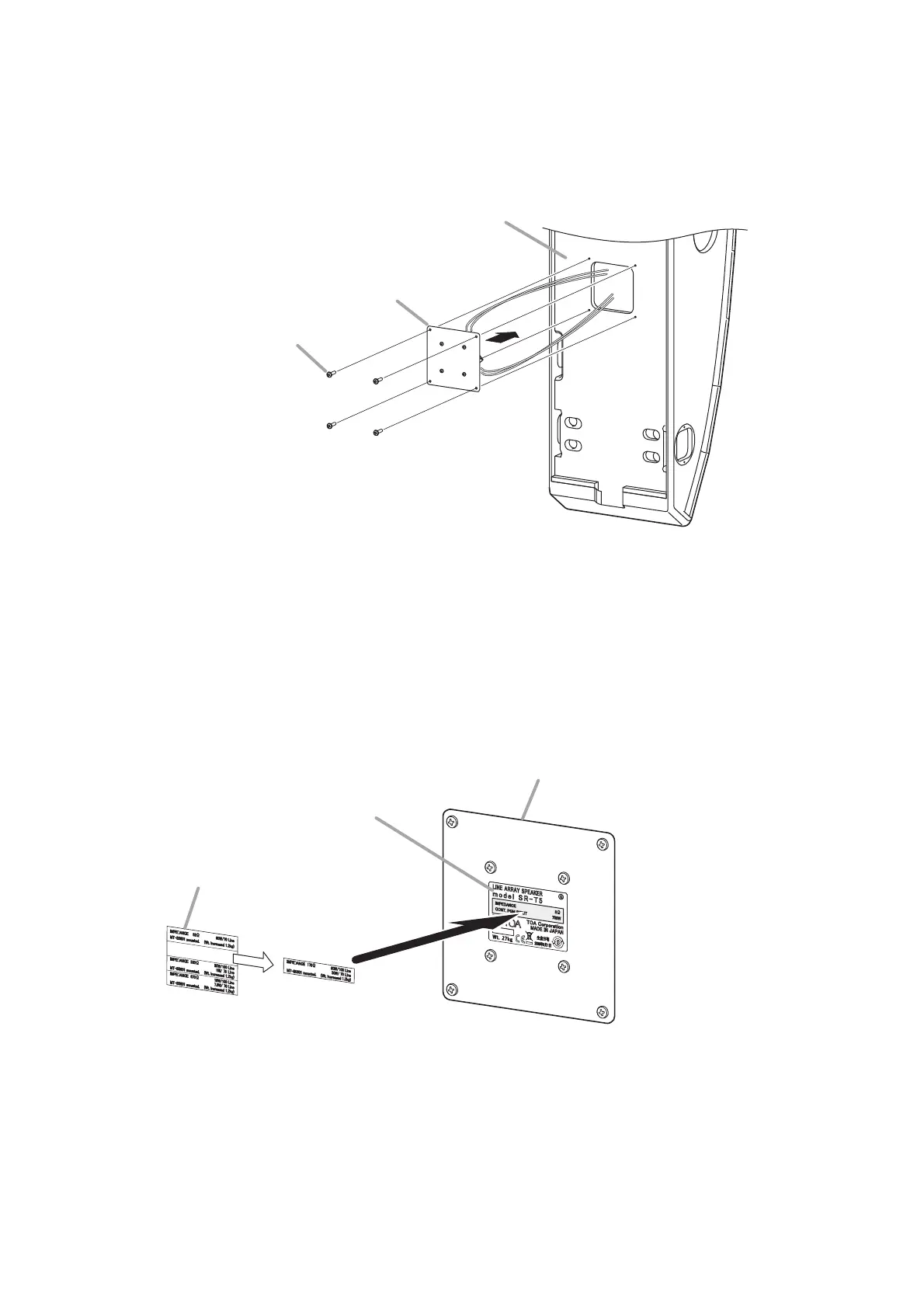
Step 5. Replace the blank panel with the matching transformer fixed in the speaker.
Note
When replacing the blank panel, take care not to pinch the lead wire.
Step 6. Attach the supplied impedance indication label to the given place in the speaker nameplate.
Select the indication label corresponding to the impedance set in step 3 from 4 different labels.
Speaker
Blank panel
Machine screw M4 x 25
Blank panel replaced to the speaker
Nameplate of the speaker
Impedance indication label sheet
(supplied with the MT-S0601)
Note
The above figure shows an example for attaching the indication label of 170 Ω.


 To Next Page