EasyManua.ls Logo

Toast Go - User Manual

Toast Go
2 pages
Print Icon
To Next Page IconTo Next Page
Loading...
Using your
Toast Go
Handheld Device
Geng Started
Start using Toast Go in 3 simple steps:
1. Ensure the device is fully charged
before use.
2. Connect the Toast Go to your Toast
3. Login to Toast using the email and
password associated with your Toast
account.
Status
Indicator
Lights
Power
Buon
Magnec
Strip
Reader
Volume
Up/
Down
Charging
Port
Card Reader
Status &
Noficaon
Panel
toasab.com
Status Indicator Lights
Blinking Blue: Wifi signal is low
Constant Red: Wifi is o or
disconnected
Wifi Signal
Baery
Blinking Red: Less than 100%
baery (while charging) or less
than 30% baery (while
unplugged)
Constant Green: Baery full
Blinking Red: Device
contains an order that has
not synced with server
Blinking Blue: Device is not
syncing with other devices
Device Synchronizaon Error
Card Reader LED
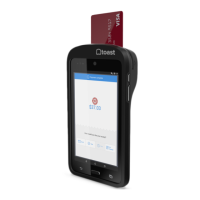
The Toast Go is EMV capable and can
accept chip cards.
Click here
to learn
how to turn on EMV on your device.

Question and Answer IconNeed help?

Do you have a question about the Toast Go and is the answer not in the manual?

Toast Go Specifications

General IconGeneral
BrandToast
ModelGo
CategoryPayment Terminal
LanguageEnglish

Related product manuals