EasyManua.ls Logo

Tokyo Keiki ESWS-10 - User Manual

Default Icon
46 pages
Print Icon
To Next Page IconTo Next Page
Loading...
DocumentNo[TS19‐005]
Total46pages(text,38pages)
ESWSeries
ElectronicPressureSwitch
ESWS‐10
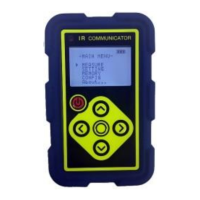
SettingUnit
INSTRUCTIONMANUAL
Toinsuresafetyinproducthandlinganduse,thoroughlyreadthecontents
ofthisinstructionmanual. Keepthisinstructionmanualinahandyplace
foreasyreferral.
FluidPower&ControlSystemsCo.

Table of Contents

Questions and Answers

  • D
    David GarciaAug 13, 2025
    What to do if OUT1 or OUT2 LED is flashing on Tokyo Keiki ESWS-10?
    • D
      Darryl Howard DDSAug 14, 2025
      If the OUT1 or OUT2 LED is flashing on your Tokyo Keiki Switch, it indicates an overloaded comparator. To resolve this, reduce the load current below the rated value. For error recovery, turn the power ON again.
  • T
    Thomas WilsonAug 17, 2025
    Why is the power source LED flashing rapidly on my Tokyo Keiki Switch?
    • E
      erinmejiaAug 18, 2025
      If the power source LED on your Tokyo Keiki Switch is flashing at a high rate, it means the applied pressure is beyond the measurement range. Specifically, the pressure is less than –10% F.S. or exceeds 110% F.S. Readjust the applied pressure to ensure it falls within the correct range.
  • K
    Katrina MolinaAug 21, 2025
    Why is the battery draining so fast on my Tokyo Keiki Switch when it's not being used?
    • R
      Ronald RamosAug 21, 2025
      If the battery power on your Tokyo Keiki Switch is being consumed quickly when not in use, it's likely that the power switch is not turned OFF and the device is in Sleep mode. Check the status of the power switch and turn it off to conserve battery.
  • K
    Karen WrightAug 26, 2025
    Why is the recharging LED flashing rapidly on my Tokyo Keiki Switch?
    • J
      Jose RichardsAug 26, 2025
      If the Recharging LED is flashing rapidly on your Tokyo Keiki Switch, it indicates an attempt to recharge alkaline batteries. Disconnect the USB cable and verify the battery type.
  • J
    Jennifer BurchAug 29, 2025
    Why is the recharging LED not lighting on my Tokyo Keiki ESWS-10?
    • I
      Isabella BurnsAug 29, 2025
      If the Recharging LED doesn't light even when attempting to recharge your Tokyo Keiki Switch with a USB cable, the power switch is likely turned OFF. Check the power switch and turn it ON.
  • O
    Omar MartinezSep 1, 2025
    Why is the power source LED flashing white on my Tokyo Keiki Switch?
    • A
      Adrian RiceSep 1, 2025
      If the power source LED on your Tokyo Keiki Switch is flashing white, it indicates that the device is receiving IR communication. Maintain a greater distance between the Setting Unit and other IR communication devices.
  • K
    Kelsey McdonaldSep 5, 2025
    What does “NON” displayed during MEMORY mode copy mean on Tokyo Keiki ESWS-10 Switch?
    • V
      Virginia KellySep 5, 2025
      If your Tokyo Keiki Switch displays “NON” during MEMORY mode copy, it means there is no data to be copied. Move to the setting mode, establish IR communication to the Pressure Switch with 'SEARCH'.
  • D
    Doris BakerSep 9, 2025
    What does a blanked out, blinking battery life indicator mean on my Tokyo Keiki ESWS-10?
    • M
      Melanie HoffmanSep 9, 2025
      If the battery life indicator on your Tokyo Keiki Switch is blanked out and blinking, it indicates a drop in battery voltage. If using alkaline batteries, replace them. If using nickel-hydride batteries, recharge or replace them.

Summary

Safety Precautions

Installation, Connection, Operation, and Storage Safety

Covers critical safety measures for installation, wiring, operation, and storage of the pressure switch.

Functions of ESW Series

Installation and Connections

Installation and Piping

Guides on proper physical installation and piping of the Pressure Switch.

Electrical Connections and Wiring

Explains wiring procedures and provides connection examples for outputs.

Operation

Configuring Pressure Switch Settings

Details how to change pressure, deadband, and comparator settings.

Troubleshooting

Pressure Switch Troubleshooting

Provides solutions for common problems with the Pressure Switch, covering LED indicators and operational errors.

Setting Unit Troubleshooting

Offers solutions for common issues with the Setting Unit, including communication and display problems.

Tokyo Keiki ESWS-10 Specifications

General IconGeneral
BrandTokyo Keiki
ModelESWS-10
CategorySwitch
LanguageEnglish

Related product manuals