EN - 13
Placingthewaterlter
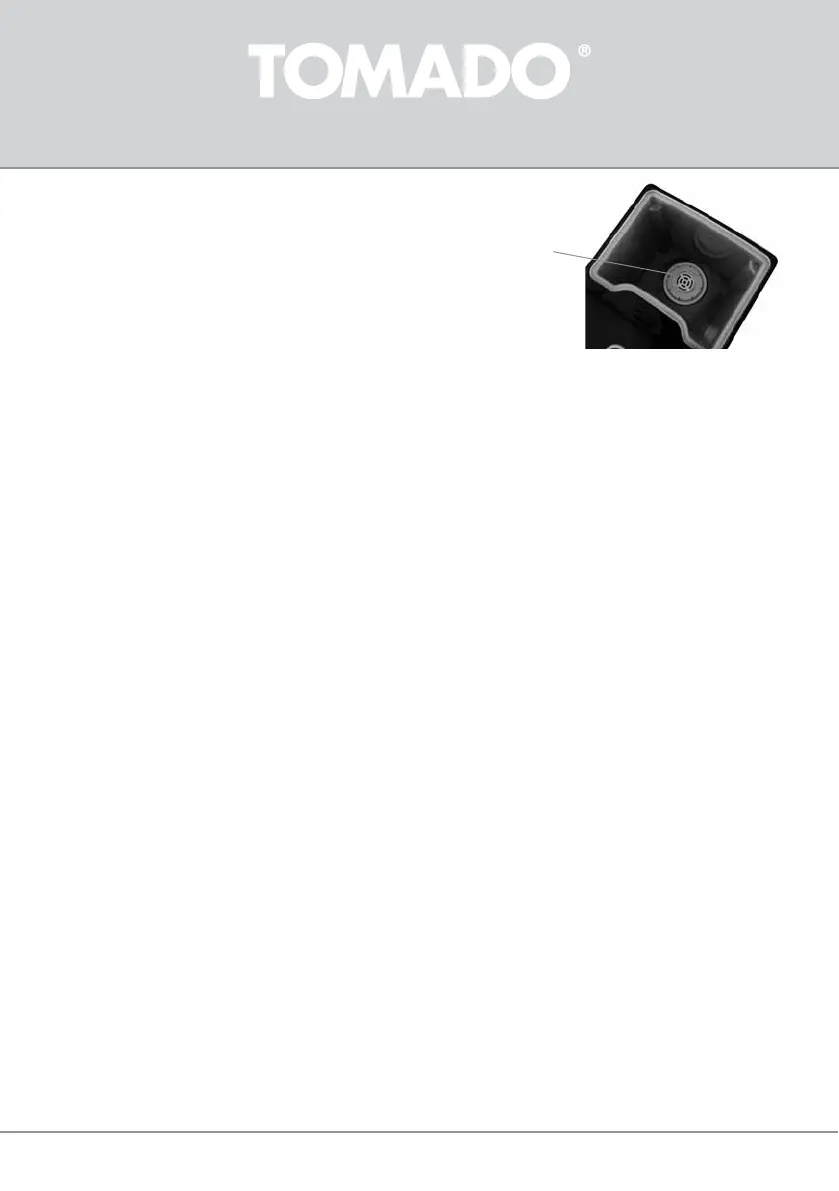
Open the lid of the water reservoir and place the water lter in the reservoir.
Cleaningandllingthewaterreservoir
Rinse the water reservoir, and therefore the appliance, prior to use.
• Snap the drip tray in place on the boom two ridges.
• Place a large heat resistant tray or bowl under the water outlet.
• Fill the water reservoir to maximum level and press the ON/OFF buon twice to switch on the appliance. The indicator led
now lights up in green. Aer a few seconds, there is hot water coming out of the water outlet.
• Cauon: press the ON/OFF buon to switch the appliance o when the tray or bowl is full. Empty the full bowl in the sink and
place it back under the water outlet.
• Press the ON/OFF buon twice to switch on the appliance once more.
• Repeat these steps unl the appliance has been rinsed with a full water reservoir twice.
• Fill the water reservoir with fresh cold water. The minimum water lling volume is 0.5 litres. The maximum lling volume
is 2.5 litres.
• The appliance is now ready for use.
The hot water dispenser is only suitable for boiling water. Never ll the hot water dispenser with milk, tea, coee or other liquids.
13
USING THE APPLIANCE
FILLING THE HOT WATER DISPENSER
1. Open the lid of the water reservoir.
2. Fill the water reservoir of the appliance. Use a measuring cup or a water jug with fresh cold water.
3. Fill the water reservoir with maximum 2.5 litres of cold water.
4. Close the lid.
TAPPING A GLASS OR CUP OF HOT WATER
1. Place a glass or cup under the water outlet on the cup grille.
2. Press the ON/OFF buon once to switch on the appliance.
- When pressed once, the indicator led lights up in blue and the appliance taps 1 cup of hot water (200 ml)
3. Aer a few seconds, there is hot water coming out of the water outlet.
4. If necessary, press the ON/OFF buon once more to stop the water ow.
5. When lling several glasses, repeat the above steps.
When the reservoir is empty, the indicator led starts to ash in blue and green alternately. Rell the water reservoir with fresh
cold water.
Cauon: The water and steam are hot and could cause burns in case of contact with your skin.
TAPPING A JUG OR LARGE MUG OF HOT WATER
1. Place a jug or mug under the water outlet on the cup grille.
2. Press the ON/OFF buon twice to switch on the appliance.
- When pressed twice, the indicator led lights up in green and the appliance taps hot water connuously unl you switch
it o again.
3. Aer a few seconds, there is hot water coming out of the water outlet.
4. Press the ON/OFF buon once more to stop the water ow.
5. When lling several jugs or mugs, repeat the above steps.


 To Next Page