3 THC control and connection
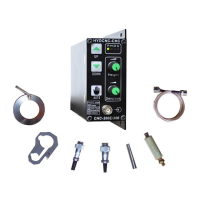
3.1 operation panel intro.
(
Power
)
(Height found) (Disconnection) (collision)
UP
AUTO HEIGHT adjustor
DOW
Auto/manual SENSITIVE adjustor
Indicator Connect to sensing part
intro
Figure 3-1
Indicators:
P
Power:Power indicator, red, Off means no power supply.
H Height Found: Turn on when torch reaches auto height, green.
D
Disconnection:Disconnection indicator, red. When HF cable is unconnected or disconnected,
it turns on. On auto mode, if disconnection happens, torch would keep lifting up until it’s solved.
C Collision: Turn red when sensor ring collision happens, both on manual/auto mode. Torch
would keep lifting up until collision disappears. At this moment, press Down doesn’t work. If HF
cable short-connected with shield net, it is same as collision to THC.
Buttons on operation panel
Up/Down Button
It is active on any mode. Priority is always given to Manual mode. For UP and Down, priority’s given
to UP. In case HF gets problem, it’s always on UP mode, so the Down doesn’t work.
Auto Button
Press the AUTO button, THC is always on Auto Mode, no matter there is a auto signal from outside


 To Next Page
 Loading...