16
En
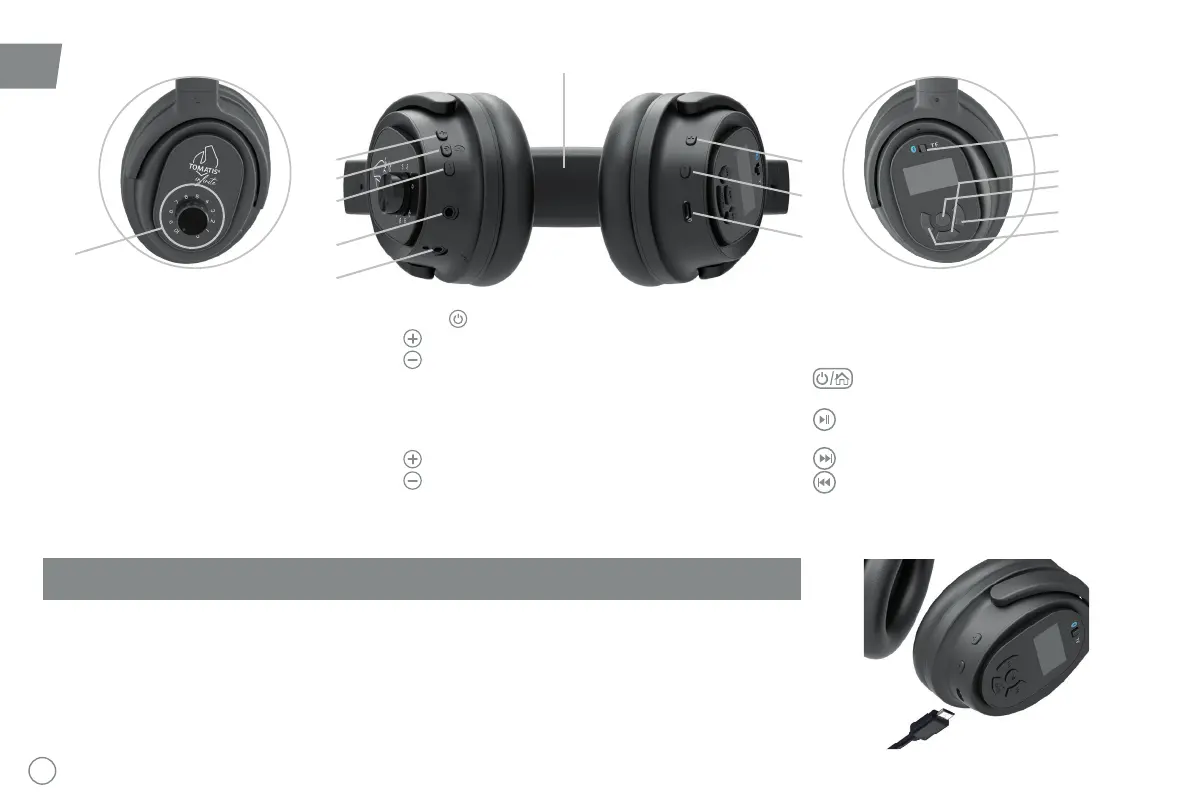
BUTTONS AND CONNECTIONS
A. Dial for the setting of the balance on the left
ear.
Please contact a Tomatis® Professional to be
able to use this setting with a specic program
and device.
B. Bone conduction
contact with the top of the skull to transmit
bone conduction.
Left speaker Bottom view Right speaker
A
3
4
5
1
2
6
9
12
13
11
10
7
8
B
1. Button to switch on the microphone
2.
3.
4. Jack plug to connect the headphones to the TalksUp®
in wired mode
5. Jack input to plug in the microphone and conduct the
6.
7.
8.
9. Select for internal program (TF) reading mode
or use of the headphones in Bluetooth mode to
connect to TalksUp®
10. Headphones on / off button for
music listening function
11. Play and pause button. File selection
button in browse mode
12.
13.
The battery needs to be recharged approximately every 8 hours.
is completed. To improve battery life, be careful not to let the device discharge completely, especially when it is unused
for a few months.
Innite



 To Next Page