Brush Guard
Side Supports
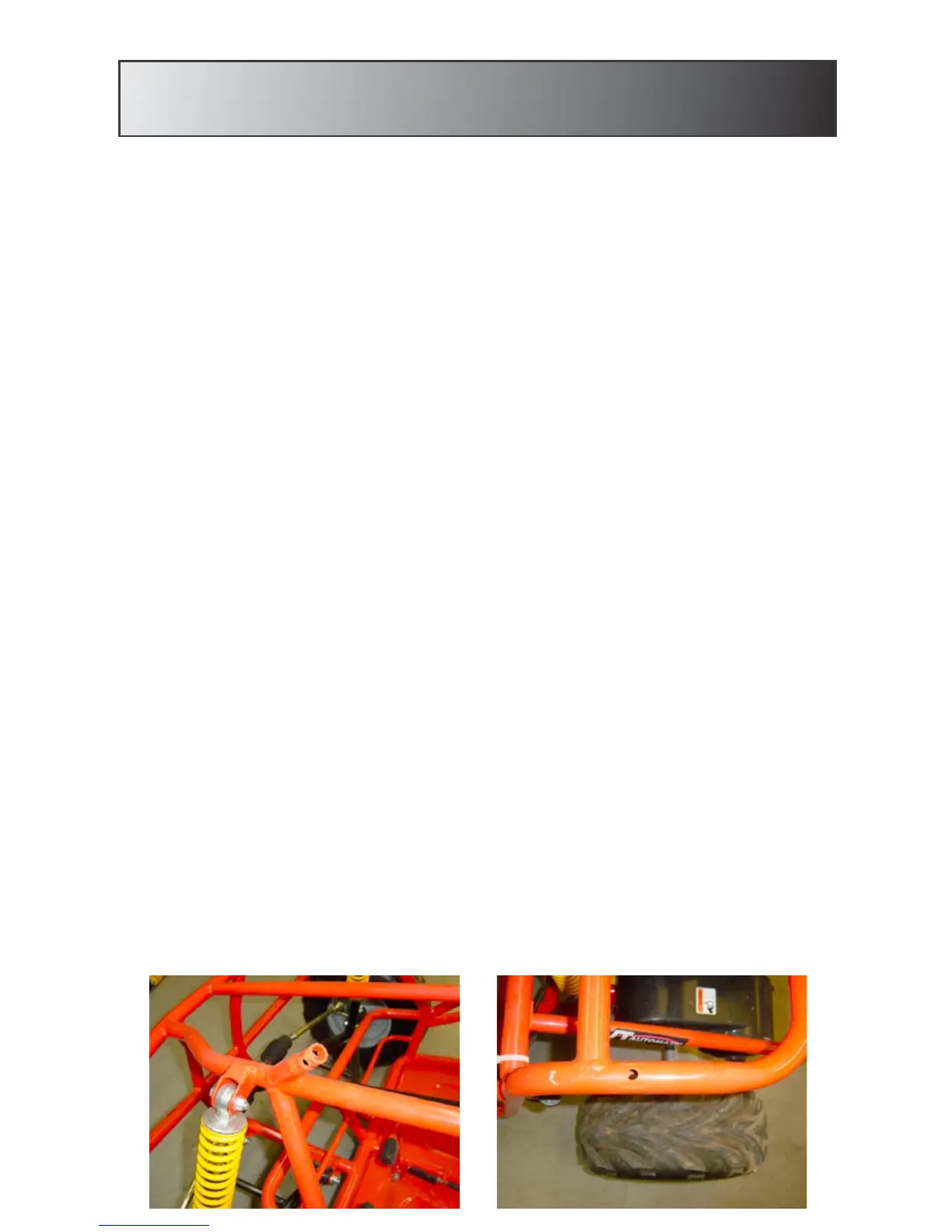
1. Locate the two points of contact that hold the passenger side
support in place. The first contact point is located directly behind
the front shock. The second contact point is located directly
above the rear tire.
2. Locate the passenger side support. Remove the nut, bolt, and
washer from the front contact point. Remove the washer and bolt
from the rear contact point.
3. Align the pre-drilled holes in the front of the side support with the
pre-drilled holes in the bracket on the main frame.
4. Slide the bolt through all pre-drilled holes. Place the washer and
nut on the bolt in that order. NOTE: Do not tighten the nut all the
way on the bolt. Leaving slight movement in the supports will
allow for easier assembly.
5. Align the pre-drilled hole in the bottom of the side support with
the pre-drilled hole in the second contact point.
6. Place a washer on the bolt and slide the bolt through all pre-drilled
holes. NOTE: Do not tighten the nut all the way on the bolt.
Leaving slight movement in the supports will allow for easier
assembly.
7. Repeat this process for the Driver’s side support.


 To Next Page