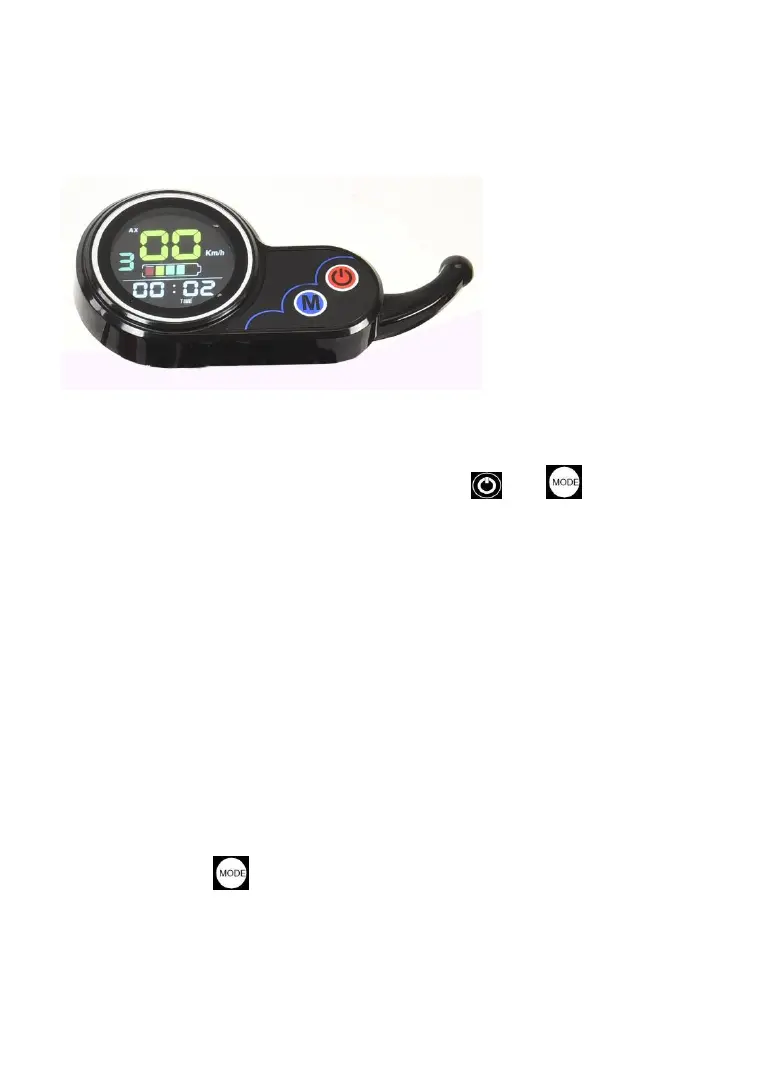
2.4 The appearance
1.
The button
There are two buttons on the meter, the power.
and
function
keys
1.
Useful
2.
Press and hold the power button to turn on the power.
The battery power and speed are displayed instantaneously
according to the running state of the electric vehicle, and the single
mileage and accumulated mileage are displayed according to the
selected function
After the instrument is turned on, if there is no signal input for a
long time (3 minutes), the meter will automatically turn off the power;
when the instrument appears CA 2:00 interface, it means to enter the
countdown state after 2 hours of shutdown.
Short press the function key to change the display content of
the instrument. There are TIME, TRIP, ODO, DST, VOL, CH 2:00
characters, etc. The time is displayed when TIME is displayed, the single
mileage is displayed when TRIP is displayed, and the accumulated


 To Next Page