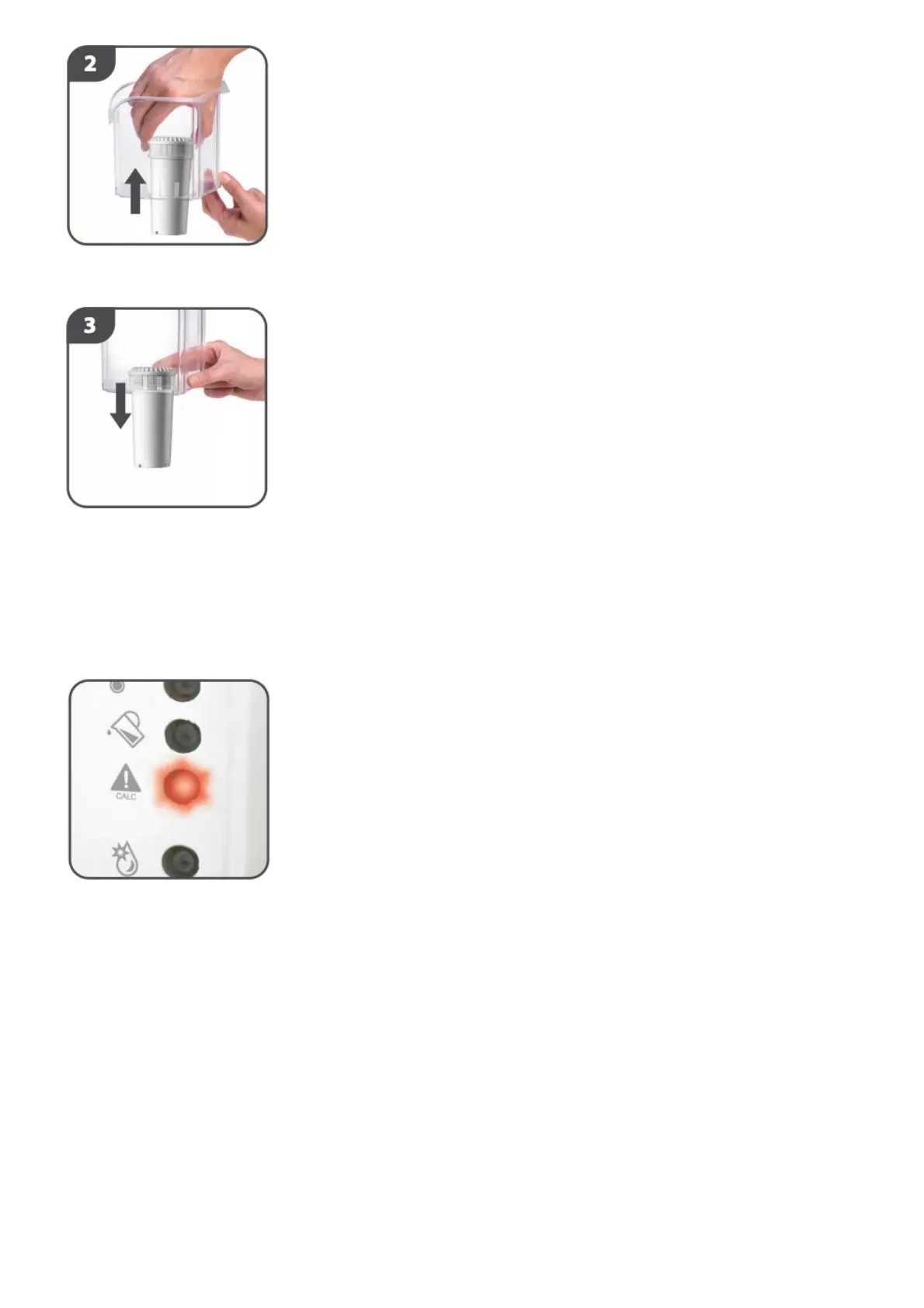
Remove the old filter from the hopper and discard. Replace the hopper (without filter).
Follow the cleaning cycle steps as per SET UP – fitting your new filter at stage 9.
4. DESCALING
The descaling process will remove deposits of calcium and other minerals in the system that may
affect its performance.
A red warning light will illuminate when the unit requires descaling soon.
If the light flashes, you should descale immediately.
1. Remove the filter.
2. Fill the water tank with 0.5 litres of distilled white vinegar (4 or 5%).
3. Place a jug under the dispenser outlet.
4. Press the descale button for 2 seconds and the system will run a descale process.
During the descale process the red descale light will continue to flash.
5. At the end of the descale process an alarm will sound and the descale LED will switch off.
6. The red cleaning mode light will flash.
7. Fill the tank with 1 litre of freshly boiled water.
8. Follow the cleaning cycle steps as per stages 5-15 of the set up and cleaning process.
9. Again, fill the tank with 1 litre of freshly boiled water.
10. Repeat the cleaning cycle steps as per stages 5-15 of the set up and cleaning process.
11. The current filter can be refitted.
KEEP THIS INSTRUCTION SHEET FOR FUTURE REFERENCE AS IT INCLUDES IMPORTANT
INFORMATION.


 To Next Page