Need help?
Do you have a question about the TomTom 8RS00 and is the answer not in the manual?
Overview of button functions, screen interaction, and menu navigation.
Information on activating the backlight and the location of the GPS receiver.
Steps to select and start a running activity from the watch menu.
Actions available on the run screen: starting, settings, history, and returning to activity list.
How to view distance, time, and pace during a run and change displayed information.
Instructions for stopping the clock or taking a break during a run.
Advice on exercising with care and restrictions in aircraft and hospitals.
Information regarding the use of personal data and a link to the privacy policy.
Details on battery disposal, recycling, and WEEE directive compliance.
Regulatory compliance information for FCC and Canadian emissions standards.
Compliance with IC RSS-102 and restrictions on antenna co-location.
Legal notices regarding TomTom trademarks, software, and third-party licenses.
Source of MET values used for calorie calculations in the product.
Model name, article number, part numbers, and barcode information.
Notice regarding chemicals in the product that may cause cancer or reproductive harm.
Instructions for package recycling and details on product assembly location.
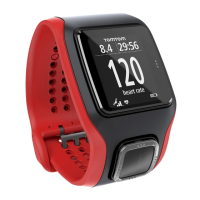
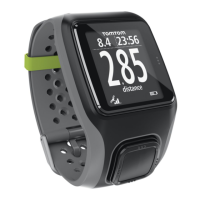
This document serves as a user guide for a TomTom Runner MultiSport GPS Watch, specifically the Dark Grey model (8RS00). It covers initial setup, basic operation, and important regulatory information.
The TomTom Runner MultiSport GPS Watch is designed for tracking various fitness activities, including running, cycling, swimming, and treadmill workouts. Its primary function is to record activity data such as distance, time, and pace using GPS technology. The watch also features a QuickGPSfix function to quickly acquire a GPS signal, ensuring accurate location tracking. It is equipped with a display that shows real-time activity information and a menu system for navigating settings and activity types.
Getting Started: Before using the watch, it is recommended to charge it and download QuickGPSfix information to improve GPS acquisition speed.
Watch Interface: The watch features a simple four-button interface and a touch-sensitive area for the backlight:
Menu Navigation:
First Run (and other activities):
Battery and Environmental Information:
General Care:
Regulatory Compliance:
Software and Copyright:
 General
| Model Number | 8RS00 |
|---|---|
| GPS | Yes |
| Compatibility | iOS and Android |
| Battery Life | Up to 10 hours (GPS mode) |
| Water Resistance | 5 ATM |
| Connectivity | Bluetooth |
| Display | Monochrome LCD |

 To Next Page