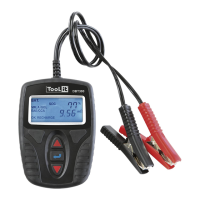
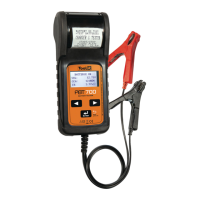
CONNECTING THE BATTERY TESTER
1- Make sure that the area is well ventilated before performing a test.
2- Tester for 12 V batteries (and START & STOP 12 V batteries) and test of the charging system.
3- Before performing a test on the battery, make sure that the ignition and the consumers are switched o.
Close all doors and the boot.
4- Make sure that the battery connections are clean. If necessary, clean them with a wire brush.
The presence of oxydation between the tester terminals and the battery connectors or between the connectors of the
battery and the terminals decreases the tester eciency.
5- Connect the negative (black) terminal to the negative terminal of the battery. Connect the positive terminal (red) to
the terminal positive of the battery.
BATTERY VOLTAGE
1. Once the tester is connected, the display shows the battery voltage. Press and select «BAT» to start the battery test.
Conrm by pressing .
2. Select the battery type (Liquid / AGMS / GEL / AGMF) using the arrows . If it is a «START/STOP» Battery, select
between «SSA» or «SSEFB» (SS means start & stop). Press to validate and access the other criteria.
3. Choose the standard written on the battery and validate (possible standards: CCA, BCI, CA, MCA, DIN, IEC, EN, SAE, GB)
4. Enter the starting current, indicated on the battery, using the arrows (ex : 830SAE) then validate.
The test starts. If the tester displays « BAT‚« & XX.XX V, charge the battery and test it again. If the display remains the
same, replace the battery.
If the tester displays «BAT. CHARGED» (Is the tested battery charged?), press and select ‚ «YES» or «NO».
Battery test result
Result Analysis
OK The battery is operational.
OK RECHARGE Battery in good condition but low state of charge.
RECHARGE RETEST Charge the battery and perform the test again.
BAD
The battery is nearing the end of its life. Replace-
ment required. OR a problem at the
cell level is observed (short circuit.....).
Replace the battery.
ERROR CHARGE
Battery exceeds 1200 CCA (SAE) or clamps are not
properly connected.
If neither of the two causes listed above is invol-
ved, fully recharge the battery and test again. If
the display remains the same, replace the battery.
5. In each case, to display the battery health status (SOH) and charge status (SOC), press to scroll through the
results.
6. Press to return to the home screen.
TEST OF THE ALTERNATOR CHARGING SYSTEM
1. In the main menu, press «CRANKING» to start the system test.
2. Turn o all vehicle consumers (lights, air conditioning, radio, etc.).
3. Press
. The screen shows .Start the engine.
7
DBT 300
EN
Translation of the original instructions


 To Next Page
 Loading...