
 To Next Page
J
Jane FarrellAug 19, 2025
What to do if a bill gets jammed in Top Cash Counters & Coin Sorters?
- BBrian Turner IIIAug 19, 2025
If a bill gets jammed in your Top Cash Counters & Coin Sorters, inspect the banknote path and eliminate any obstructions.

What to do if a bill gets jammed in Top Cash Counters & Coin Sorters?
If a bill gets jammed in your Top Cash Counters & Coin Sorters, inspect the banknote path and eliminate any obstructions.
What to do if Top Cash Counters & Coin Sorters shows LED error?
If the Top Cash Counters & Coin Sorters shows an LED error, check the sensor and bill path for any foreign objects and remove them.
What to do if input LED or sensor is interfered in Top Cash Counters & Coin Sorters?
If the input LED or sensor is interfered with on your Top Cash Counters & Coin Sorters, eliminate any light interference.
What to do if fishing LED or sensor is interfered in Top Cash Counters & Coin Sorters?
If the fishing LED or sensor is interfered with on your Top Cash Counters & Coin Sorters, eliminate any light interference.
What to do if Top Cash Counters & Coin Sorters detects a stringing attempt?
If the Top Cash Counters & Coin Sorters detects a stringing attempt, view and remove any foreign objects on the sensor and bill path.
What to do if Top Cash Counters & Coin Sorters shows Out Sensor/LED error?
If there's an out sensor/LED error with your Top Cash Counters & Coin Sorters, check the anti-theft hook for any foreign objects and remove them.
What to do if Top Cash Counters & Coin Sorters shows Fishing LED/Sensor error?
If there's a fishing LED/sensor error with your Top Cash Counters & Coin Sorters, view and remove any foreign objects on the sensor and bill path.
How to fix Identify UV Led error on Top Cash Counters & Coin Sorters?
To address the Identify UV Led error on the Top Cash Counters & Coin Sorters, clear channel dirty.
What to do if Top TB Industrial Equipment detects a stringing attempt?
If the Top Industrial Equipment detects a stringing attempt, you should view and remove any foreign objects on the sensor and bill path.
What to do if there is an LED error on Top TB Industrial Equipment?
If you encounter an LED error on your Top Industrial Equipment, inspect and clear any foreign objects present on the sensor and bill path.
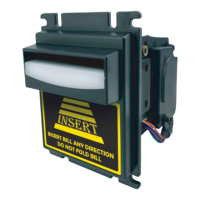
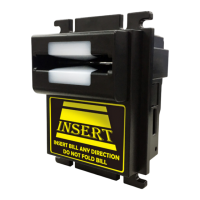
General introduction to the TB-Series banknote reader by TOPVME, highlighting its advanced features and high acceptance rate.
Lists key features such as bill acceptance on all sides, high acceptance rate, security mechanism design, and ease of use.
Detailed physical dimensions and diagrams for the TB74 bill acceptor model.
Detailed physical dimensions and diagrams for the TB77 bill acceptor model.
Detailed physical dimensions for TB74-U and TB77-U bill acceptor models.
Detailed physical dimensions and diagrams for the TB74-B bill acceptor model.
Details harness types (CU-R961-1, WEL-R7U02, WEL-R7U06, 2WIR-CP2102N--00) for various interfaces like PULSE, RS232, and USB, covering their formats and pin assignments.
Explains the I/O circuit diagrams for Pulse and RS232 interfaces, including signal logic and control parameters for customer side integration.
Guides users on how to download software, referring to the G-BOX instruction manual and providing contact details for support.
 General
| Brand | Top |
|---|---|
| Model | TB Series |
| Category | Industrial Equipment |
| Language | English |