95
17. OFFSET MEASUREMENT
PROCEDURE
1. Install two offset points (1st target, 2nd target) on
a straight line from the target point and use the
offset points as the target.
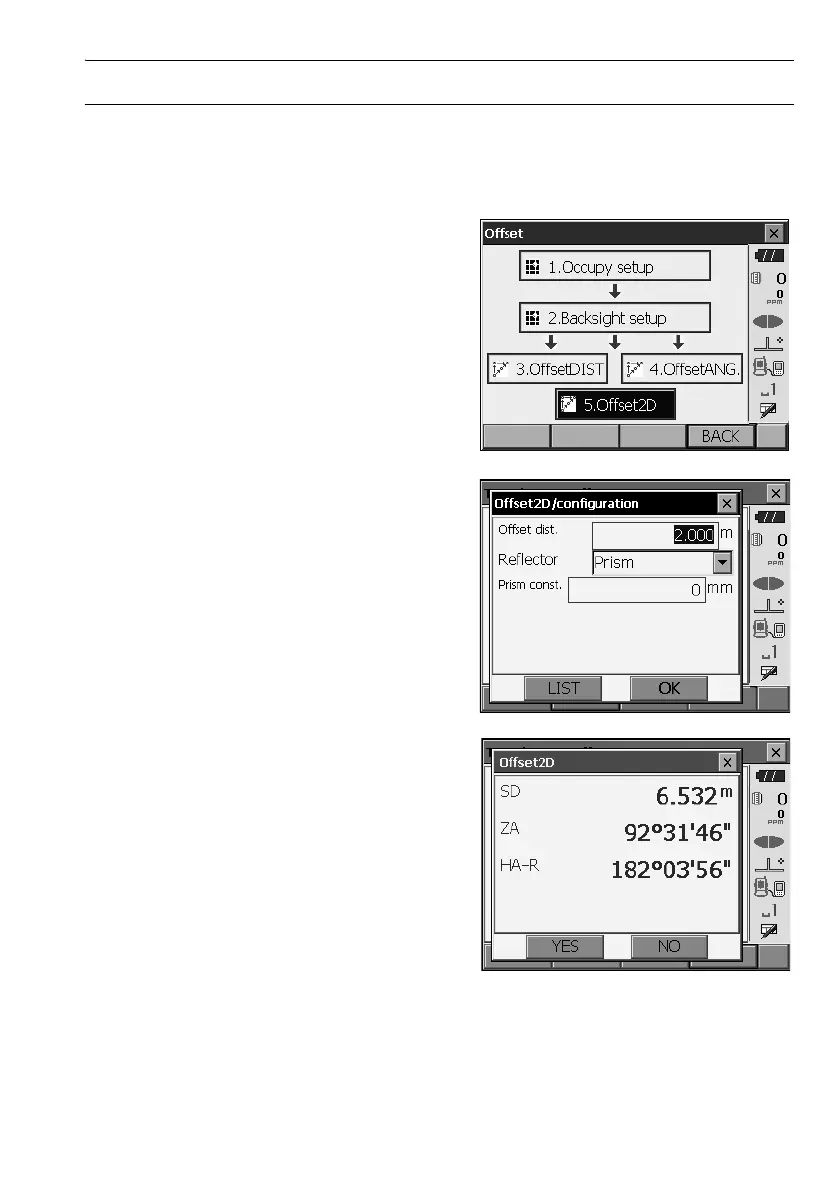
2. Select "Offset" in <Menu> to display <Offset>.
Select "5.Offset2D".
3. Press [CNFG] and input the distance from the
2nd target to the target point in "Offset dist.". Set
reflector settings and press [OK] to confirm.
•Press [LIST] to edit the prism constant and
aperture in <Reflector setting>.
4. Sight the 1st target and press [MEAS] to start
measurement.
Press
[
STOP
]
to stop the measurement. The
measurement results are displayed. Press [YES]
to confirm.



 To Next Page