16. SETTING-OUT MEASUREMENT
84
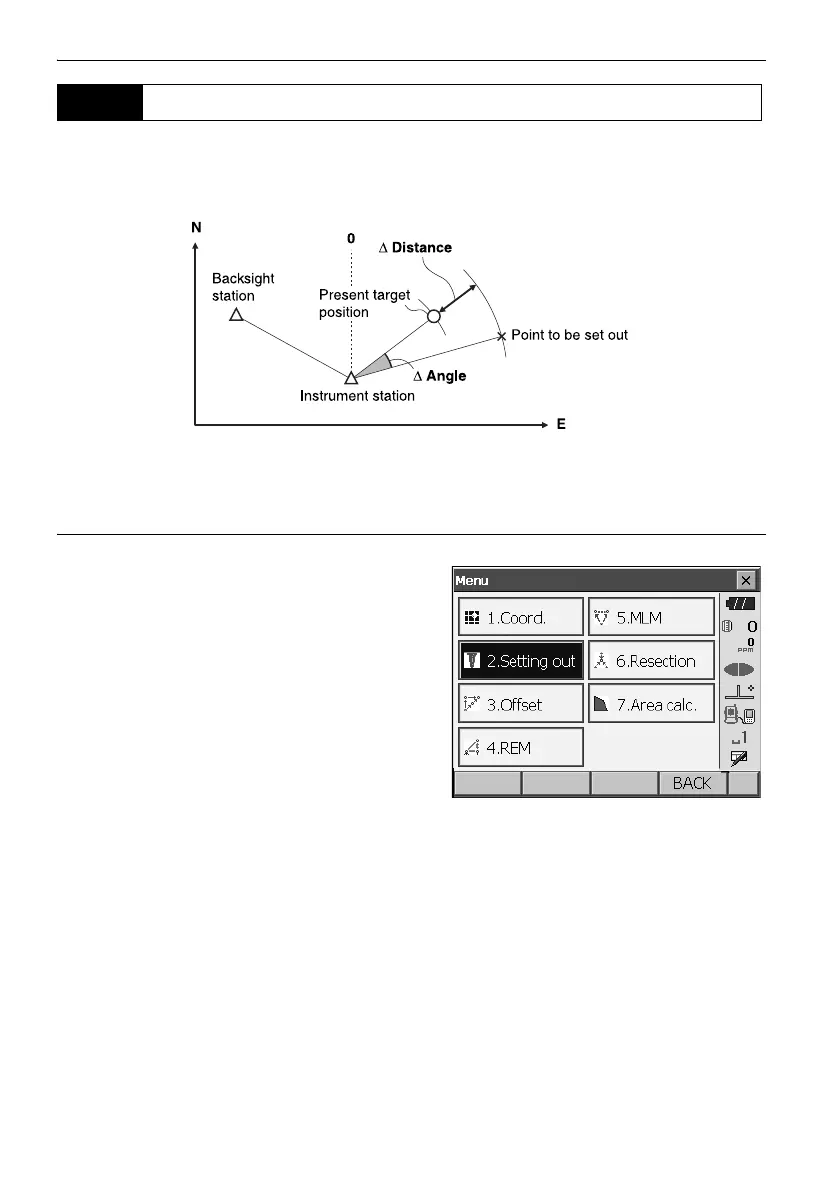
After setting the coordinates for the point to be set out, the OS calculates the setting-out horizontal
angle and horizontal distance. By selecting the horizontal angle and then the horizontal distance
setting-out functions, the required coordinate location can be set out.
• Previously recorded setting-out points can be placed in order. Up to 50 points can be recorded.
•
T
o find the Z coordinate, attach the target to a pole etc. with the same target height.
PROCEDURE
1. Select "Setting out" in <Menu> to display <Setting
out>.
2. Select "Occupy setup" to display <Occupy
setup>. If necessary, enter data for Backsight
setup.
"16.2 Distance Setting-out Measurement"
steps 2 to 3
16.3 Coordinates Setting-out Measurement



 To Next Page