27
5. BASIC OPERATION
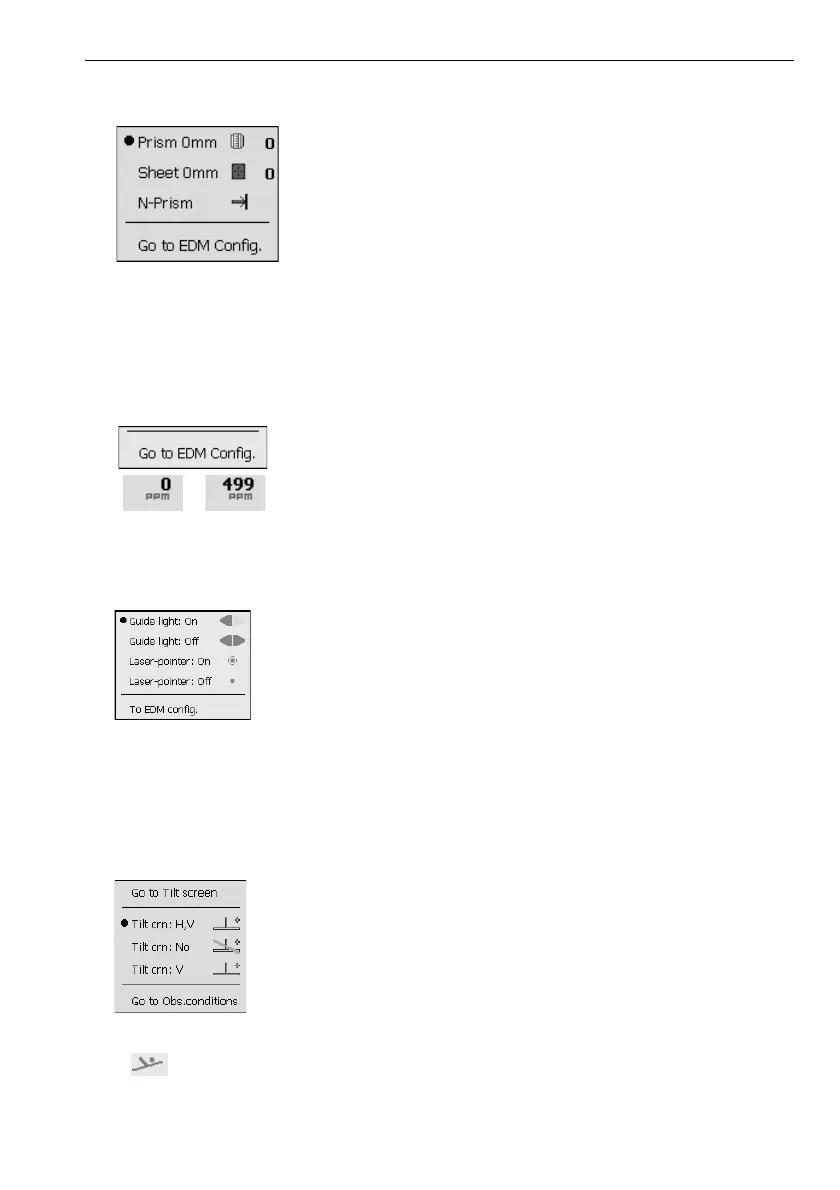
(2) Target type icon
Selection of target type and configuration of prism constant.
: Prism (0mm)
: Sheet (0mm)
: N-Prism
Target information can be edited/recorded in <Reflector setting>.
"20.3 EDM Settings"
(3) PPM setting icon
Current atmospheric correction factor setting is displayed.
Configuration of EDM.
(4) Laser-pointer/guide light icon
Configuration of laser-pointer/guide light status.
Switching the laser-pointer/guide light ON/OFF: "5.1 Basic Key Operation"
: Guide light ON
: Guide light OFF
: Laser-pointer ON
: Laser-pointer OFF
• The laser-pointer will be automatically switched OFF during distance measurement.
(5) Tilt angle compensation icon
The vertical and horizontal angles are automatically compensated for small tilt errors using the
OS's dual-axis tilt sensor. This icon displays the status of this function.
: Horizontal and vertical tilt angles compensated (blue)
: No compensation
: Only vertical tilt angle compensated (green)
• is displayed when the instrument is out of level.



 To Next Page