29
5. BASIC OPERATION
(9) Config mode icon
Switch to Config mode.
"20. CHANGING THE SETTINGS"
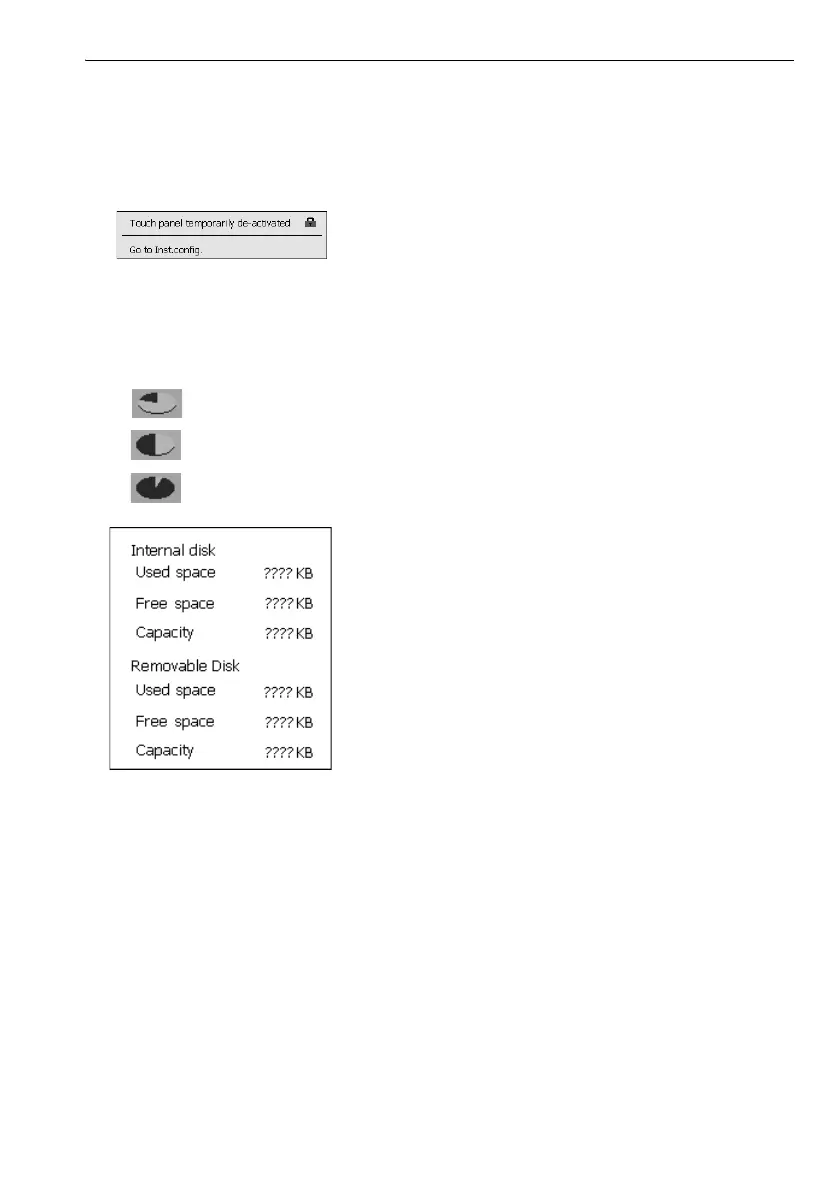
(10) Touch panel icon
De-activate the touch panel temporarily or go to Inst.config.
: Touch panel temporarily de-activated.
• This icon cannot be operated during distance measurement, or during data transmission.
(11) Disk usage icon
Tap and hold disk icon to check the detail of the disk usage.
:Less than 20%
:20 to 50%
:More than 50%
Internal Disk
Used space: Usage space of disk capacity of the instrument
Free space: Free space of disk capacity of the instrument
Capacity: Disk capacity of the instrument
Removable Disk
Used space: Usage space of disk capacity of the external disk connected to the
instrument
Free space: Free space of disk capacity of the external disk connected to the
instrument
Capacity: Disk capacity of the external disk connected to the instrument
• "Removable Disk" is displayed only when an external disk is connected to the instrument.



 To Next Page