12
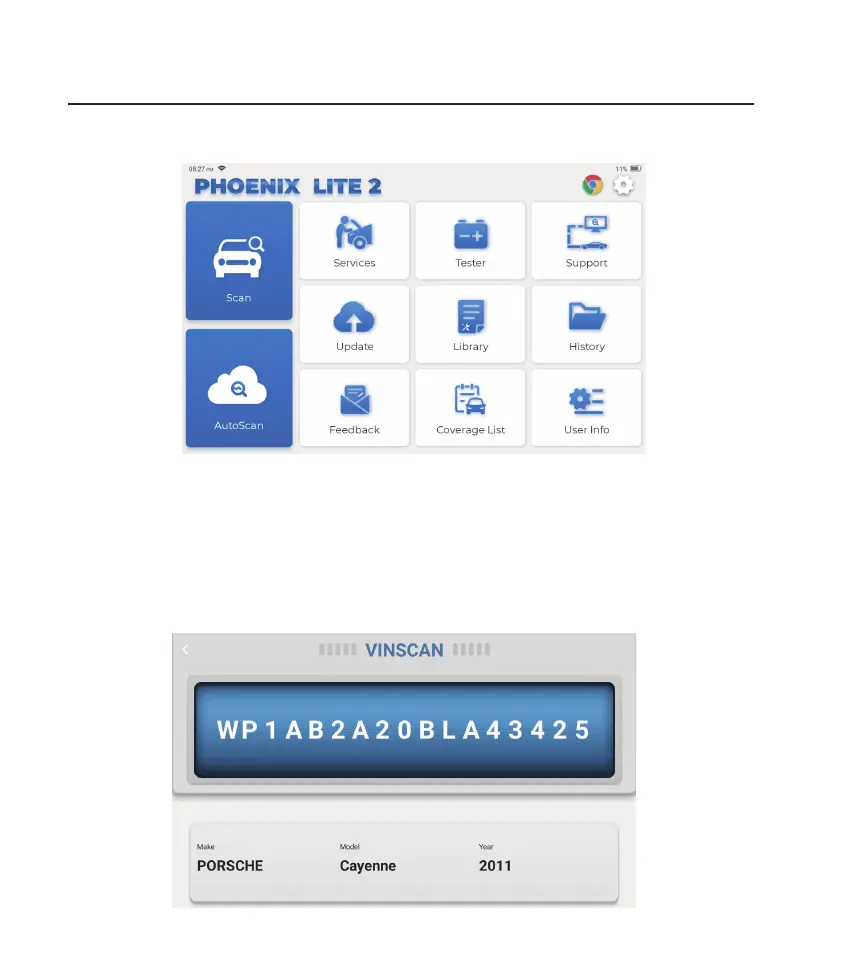
TOPDON's Phoenix Lite 2 features an array of practical functions, including Scan, AutoScan,
Services, Tester, Support, Update, Library, History, Feedback, Coverage List and User Info.
Operation Introduction
TOPDON's Phoenix Lite 2 supports AutoScan and Scan covering OBDII diagnosis, full system
diagnosis for most modern vehicle models worldwide.
Plug the Phoenix MDCI Lite dongle into the vehicle’s DLC port.
Tap “AutoScan” on the Home Menu after connecting to the vehicle.
The tool will start the AutoScan procedure, and automatically read the vehicle’s VIN
information, as shown below:
1. AutoScan (Intelligent Diagnosis)











 To Next Page