40
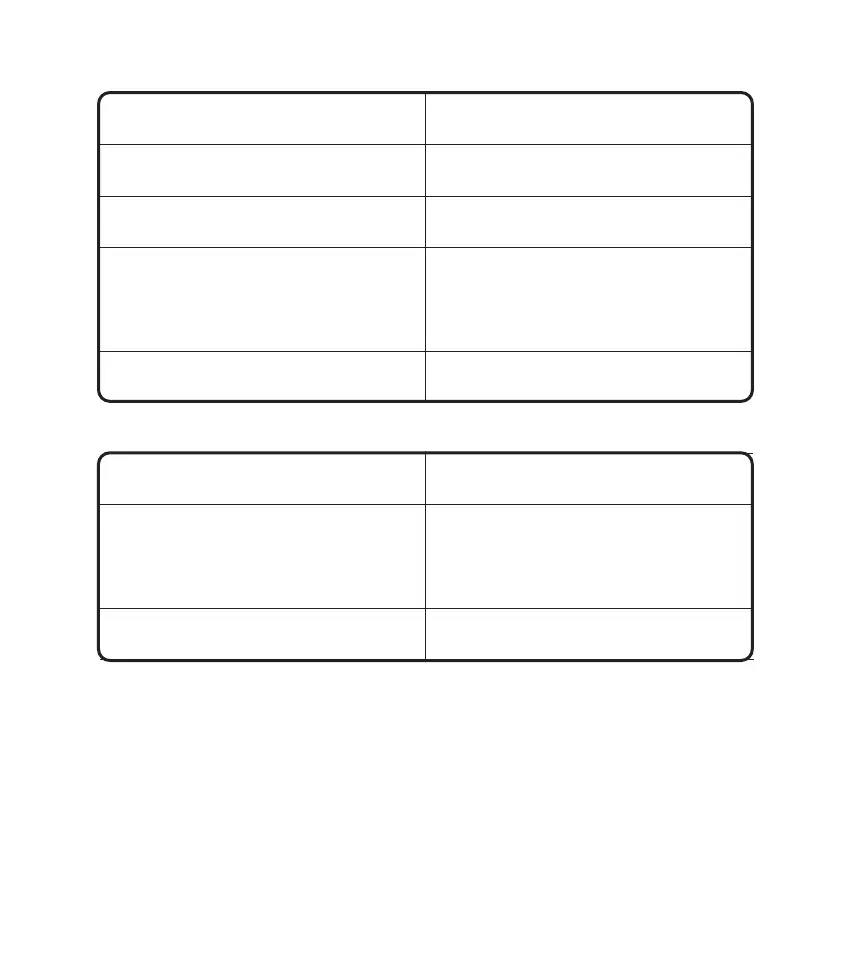
Q: There is no power in the MDCI Lite dongle after connecting to the vehicle’s DLC port.
A:
Possible Cause
Poor contact of the MDCI Lite dongle.
Poor contact of vehicle’s DLC port.
Too low voltage of the vehicle battery.
Fuse blown.
Plug out the MDCI Lite dongle, and then
plug it in again.
Plug out the MDCI Lite dongle, and then
plug it in again.
•
Recharge the vehicle battery.
•
Replace the vehicle battery if it
is damaged.
Check the fuse of the OBD module.
Solution
Q: The tablet cannot establish a connection with the MDCI Lite dongle.
A:
Possible Cause
Poor contact of the MDCI Lite dongle.
The rmware is damaged.
•
Plug out the MDCI Lite dongle, and
then plug it in again.
•
Perform the MDCI Lite Bluetooth
pairing again.
Enter the settings and tap “Fix MDCI
Firmware/System” to x the rmware.
Solution
Q: Can I use other chargers to charge the tablet?
A: No, please use the original charger provided by TOPDON.
Any damage and economic loss caused by using the improper battery charger will not be our
responsibility.
Q: How to save the battery power?
A: Please switch off the screen while the tablet is idle, or set a short standby time, or reduce the
brightness of the screen.
Q: Are there non-standard OBDII adapters in the box?
A: Yes.











 To Next Page