7EN
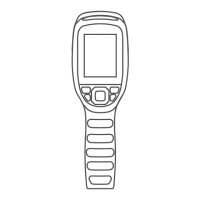
4.1 Buttons
When TS004 is powered off, you can press and hold this button to
power on TS004.
The buttons on TS004 are multi-functional. The explanations are
given below.
When TS004 is powered on, you can press this button to capture a
photo.
When TS004 is powered on, you can press this button to set the
zoom level (1X, 2X, and 4X).
When TS004 is powered off, you can press this button to turn on or
ȌǏǏɈǘƵm0(˜ƊȺǘǶǞǐǘɈخ
When TS004 is powered on,
When TS004 is powered on
,
When TS004 is powered on, you can press and hold this button to
record a video.
When TS004 is in the standby status, you can press this button to
exit this status.
You can press and hold this button to power off TS004.
You can press this button to set the pseudo-color palette.
(Five palettes are available: Bird, White Hot, Black Hot, Red
Hot, and Fusion.)
You can press this button to get TS004 into the standby status.
Power Button
Camera Button
Zoom Button
Mode Button



 To Next Page