10EN
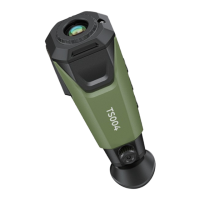
When you use TS004 to detect objects in the wild, you can choose
a suitable pseudo-color palette according to actual situations. Five
palettes are available: Bird, White Hot, Black Hot, Red Hot, and
Fusion. You can press the Mode Button to toggle between them.
5.4 Pseudo-color Palettes
Bird
White Hot
Black Hot
Red Hot
Fusion
Hot objects appear white. This palette
is specially designed for detecting
birds or similar objects.
Hot objects appear white. This palette
is suitable for daytime use.
Hot objects appear black. This palette
is suitable for nighttime use.
The hottest 10% of things in the image
appear red, and everything else is gray.
Multiple colors will appear in fusion
in the image. It is suitable for both
daytime and nighttime use.
Palette Description
5.6 Power-off
5.5 Photos and Videos
ǏɈƵȲɯȌɐ˛ȁǞȺǘƊǶǶƊƧɈǞɨǞɈǞƵȺةɯȌɐƧƊȁ ȯȲƵȺȺƊȁƮǘȌǶƮɈǘƵ§ȌɩƵȲ
Button for 3 seconds to power off TS004.
TS004 will automatically shut down when its battery runs out.
In the process of using TS004 for detection, you can take photos
and record videos when needed.
The photos and videos will be saved on TS004. You can view or
transfer them when you connect TS004 to a PC via the USB cable.
To take a photo, press the Camera Button.
To record a video, press and hold the Camera Button for 3
seconds.


 To Next Page