9EN
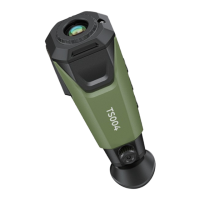
When you are looking through the eyepiece of TS004, you can
turn the knob to adjust the position of the diopter level. This is to
optimize the sharpness of the image.
Press and hold the Power Button for 3 seconds to power on TS004.
TS004 should be fully charged prior to use.
1. Download and install the APP on your phone, and launch it.
2. Power on TS004 and connect it to your phone via Wi-Fi.
Note: You can just follow the instructions displayed on the APP
interfaces for Wi-Fi connection and further operation.
1) Press and hold the Mode Button for 3 seconds.
2) Turn on the Wi-Fi switch on the screen.
3) Connect TS004 to your phone.
Android & iOS
It takes about four hours to get TS004 fully charged.
After TS004 is powered on, check the battery charge. If it is not
ƵȁȌɐǐǘǏȌȲɈǘƵƊƧɈǞɨǞɈɯɈǘƊɈɯȌɐٚȲƵǐȌǞȁǐɈȌƮȌةƧǘƊȲǐƵÀ²׀׀ׄ˛ȲȺɈخ
Charge TS004 via the USB-A to USB-C cable. Plug one end into the
USB-C port of TS004 and the other end into a USB power source.
4.4 Diopter Adjustment Knob
5.1 Power-on
5.2 Charging
5.3 APP
5. Instructions for Use


 To Next Page