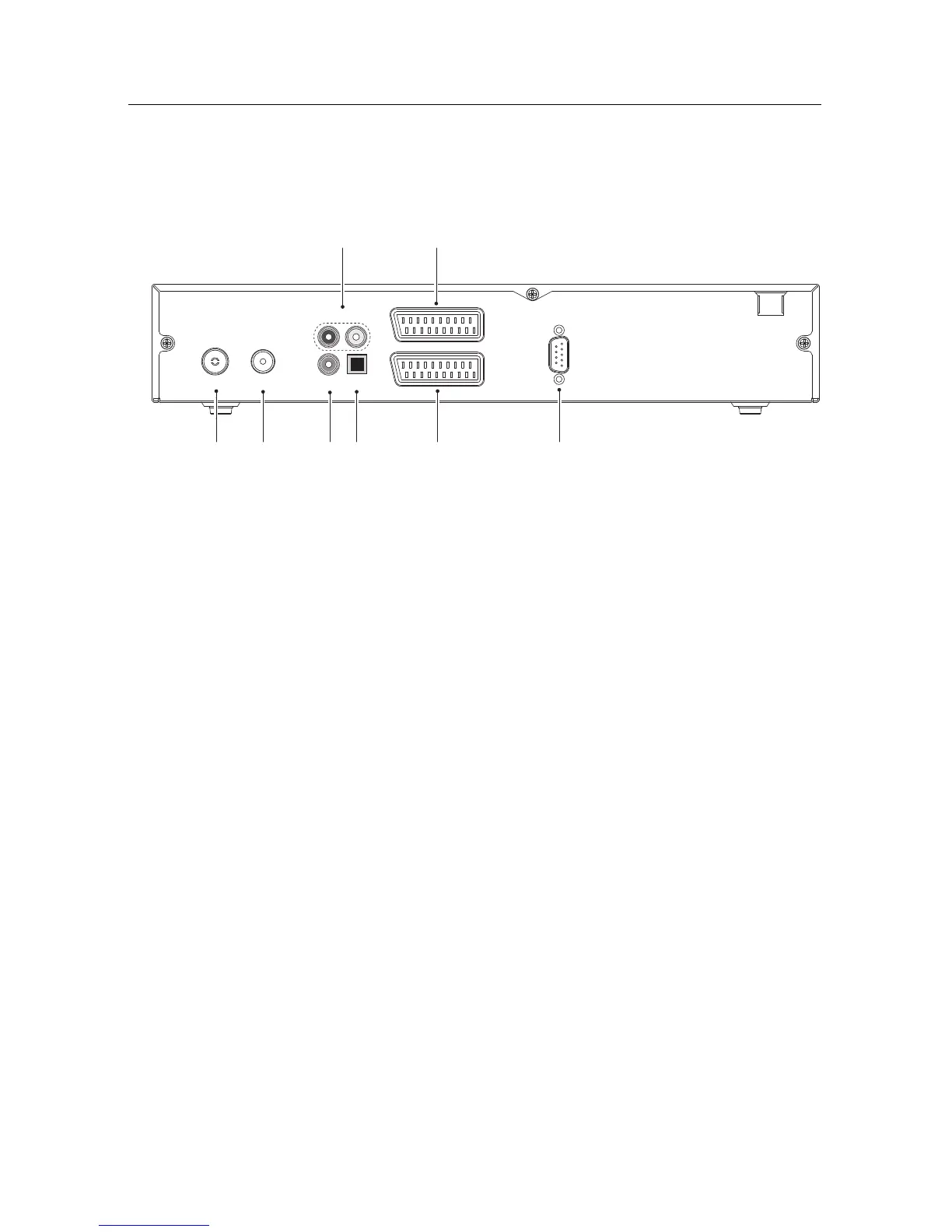
Check what connections your television set has in comparison
with the digital receiver.
1
CABLE IN Cable broadcasting signal input socket.
2
CABLE OUT
Cable broadcasting signal output socket
through the CABLE IN socket for another
digital receiver.
3
VIDEO
Composite video output socket for the televi-
sion set. (yellow)
4
AUDIO L/R
Stereo audio output socket for the television
set or the audio system. (white/red)
5
S/PDIF
Dolby digital output socket for the audio sys-
tem.
6
TV
Audio and video output socket for the televi-
sion set.
7
VCR
Audio and video input/output socket for the
video cassette recorder or suchlike.
8
RS-232
Serial port for firmware update and data
transfer.








 To Next Page