10
11
cont.
Additional Operation Features
6
Resetting the Thermostat
The Reset feature allows the user to completely reset the thermostat to register
new manual switch settings.
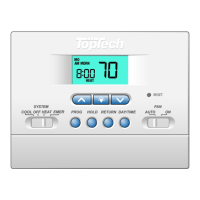
1. To erase all entered programs, current time of day, day of week and other user
settings, gently press the RESET button using a paper clip or a small pencil tip.
2. This will return all thermostat settings to their default values and register all
new manual switch settings for proper operation.
Non-Volatile Memory
In the event of a power failure, the Non-Volatile Memory feature allows all settings
to be recovered, eliminating the need to reset temperature and differential
settings. When AC power is restored after an outage, all settings are retrieved
from memory and reinstated.
Status Indicators
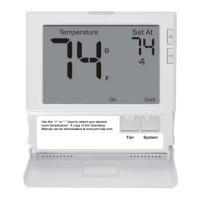
HEAT: This will turn on whenever the
system switch is in the HEAT mode.
“HEAT” will flash when the heating
system is running.
COOL: This will turn on whenever the
system switch is in the cool mode.
“COOL” will flash when the cooling
system is running.
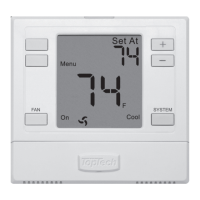
AUX: (Model TT-P-421 Only): This will turn
on when the auxiliary second
stage of heating is active. The
auxiliary stage
of heating is usually
the least economical stage of heat
and typically runs when the first
stage of heat cannot keep up with
the temperature demand.
NOTE: AUX is also displayed when the system is in the Emergency
(EMER) Mode.
Replacing the Batteries
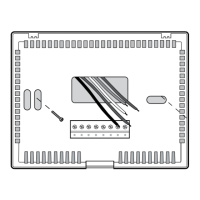
1. Open the thermostat cover and locate the battery compartment door.
2. Remove the two "AA" alkaline batteries located in the battery compartment.
3. Install two new "AA" alkaline batteries into battery compartment. Make sure to
match the positive (+) ends of the batteries with the positive (+) terminals
located in the battery compartment.
4. Close battery compartment and verify that the low battery indicator does not
appear in the display.
cont.
Additional Operation Features
6
The 3 stage low battery indicator is provided to inform the user when the
batteries require immediate attention. We recommend replacing the
batteries as soon as the low battery indicator appears. If the batteries are
not replaced after the low battery indicator first appears, the thermostat
may not provide proper heating or cooling system operation.
Even if the low battery indicator does not appear, the batteries should be replaced
at least once a year, or if you plan on leaving the premises for over a month.
This dual power thermostat can be powered from 24 volts AC or battery power.
To determine if 24 volt AC power is connected to the thermostat, refer to the
installation and wiring diagram section. If you cannot determine how this
thermostat is powered, call a professional service technician to determine the
type of installation and the proper operation of your system.
Adaptive Recovery Mode (ARM
TM
)
In order to maximize comfort and energy efficiency, this thermostat is equipped
with an Adaptive Recovery Mode (ARM™). This feature minimizes the amount of
time required by heating or cooling system to reach the new set point, after a
setback period is completed. This assures your desired temperature is achieved
at your set program times. In the model TT-N-421, this feature also minimizes the
use of second stage heating.
This feature activates when recovering room temperature from setback programs
to comfort programs, so it will only take place when the current (heating)
program set point temperature is lower than the upcoming program set point
temperature, or the current (cooling) program set point temperature is higher
than the upcoming program set point temperature.
During ARM™, room temperature is recovered gradually by turning on the
heating or cooling before the end of the setback period. The set point
temperature is changed to that of the upcoming comfort program temperature.
The start time of recovery is based on the difference between the current room
temperature and the upcoming comfort program set point temperature. The
recovery to the upcoming set point starts 10 minutes before the upcoming set
point time for each degree of temperature change required, up to a maximum of
2 hours.
ARM™ does not operate when the unit is in the HOLD mode, if the program is
temporarily overridden, or has been turned off in the user settings.
Filter Check Monitor (see section 4 for setting)
The Filter Check Monitor displays a reminder
for required filter replacement or cleaning
by flashing the FILT segment in the display.
See instructions on your filter or heating/
cooling unit for recommendations for
interval setting.
When the selected interval has been reached, and required cleaning or
replacement has been performed, press the RETURN button in any normal mode
to reset the timer and turn off the warning.
COOL
AUX
Battery Replacement
7


 To Next Page
 Loading...