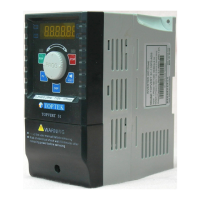
TOPVERT G1/H1/P1 Series
E-12
AO1
Multi-Function analog output 1
(can output DC 0~10V voltage signal)
Max.2mA/Pr3-15/
(Output frequency)
AO2
Multi-Function analog output 2 (current signal
voltage signal selectable)
(when AO2 analog output selector switch to “V”
can output DC 0~10V voltage signal. when
switch to “I” can output DC 4(0)~20mA current
signal.
Pr3-16/(4~20mA )
(Output frequency)
[AO3]
[Multi-Function analog output 3]
(can output DC 4(0)~20mA current signal)
Pr3-15/(4~20mA )
(Output frequency)
Digital outputs and serial port
(Use the shielded twisted-pair cables to prevent operating faults)
MO1 Multi-Function Digital output 3 - MO1
Max.48VDC,50mA/( Pre-
attained 1 (Forward only) )
MO2 Multi-Function Digital output 4 – MO2
Max.48VDC,50mA/
( Drive ready for use)
MCM Multi-function output terminal – the common end
SG+ RS-485 serial port +
SG- RS-485 serial port -
[MO3] [Multi-Function Digital output 5 MO3+]
Pr2-24
[MC3] [Multi-Function Digital output 5 MO3-]
[MO4] [Multi-Function Digital output 6 MO4+]
Pr2-25
[MC4] [Multi-Function Digital output 6 MO4-]
[ ]:Option
Description of the Digital Keypad
Digital Keypad PU-01 function descriptions
FWD REV
EXT PU
Part number
Status Display……
…………
…… Display the driver's current status
When "PU" lights, RUN/STOP is controlled by PU-01.
When "PU" is dark, RUN/STOP is set by Pr0-19.
When "EXT" lights, frequency command is set by Pr0-18.
When "EXT" is dark,frequency command is controlled by PU-01
When "REV" lights, Drive is in reverse operation.
When "FWD" lights, Drive is in forward operation.
Left /Reset key
Moves cursor to the left.
Reset errors.
FWD/REV Direction key
Display Selection key
Changes between different display mode.
STOP key
Programming Unit key
Enable the keypad.
It can determine the source of RUNSTOP
RUN key
PU-01
PU
JOG
DISP
F/R
RUN
STOP
RUN indication STOP indication
RESET
Main Display
Display the drive status such as frequency,
current, voltage, parameter setting valueand
alarm contents.
Data modification/Program Dial
Rotate to modification for settings, parameters
and output frequency adjustment.
Press to Read or Enter datas
Jog Operation key
Press this key to execute JOG frequency opeation


 To Next Page
 Loading...