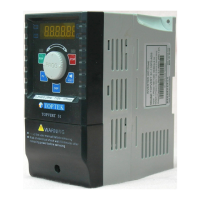
TOPVERT G1/H1/P1 Series
E-13
Digital Keypad PU-02 function descriptions
It keeped all function in PU-01 and add on Parameter Read/Write/Storage/Copy
function. (Valid for Firmware version 2.xx and after only)
Digital Keypad PU-03 function descriptions
It is an user programmable LCD graphical and text display.
FWD REV
EXT PU
PU-02
PU
JOG
DISP
F/R
RUN
STOP
RESET
Read/Save
Press PU and RESET
together to operate
Read and Save functions
100%
FWD
REV
EXT
PU
RESET
Main Display
Display t
he drive status such as f
requency,
current, voltage,
parameter
setting value
and alarm contents.
Part number
Shift /Reset key
Moves cursor to shift the digit. Reset errors.
FWD/REV
Direction key
Display selection key
Changes between different display mode.
STOP key
Jog Operation key
Press this key to execute JOG frequency opeation
RUN key
PU-03
Data modification/Program Dial
Rotate to modification for settings, parameters
and output frequency adjustment.
Press to read or enter data
PU
JOG
DISP
F/R
RUN STOP
RUN indication STOP indication
6000.00Hz 9999.99A
6000.00Hz
Status Display……
…………
……
Display the driver's current status
When "PU" lights, RUN/STOP is controlled by PU-03.
When "PU" is dark, RUN/STOP is set by Pr0-19.
When "EXT" lights, frequency command is set by Pr0-18.
When "EXT" is dark,frequency command Is controlled by PU-03
When " " Is lights
:
Timer run function is proceeding
When "REV" lights, Drive is in reverse operation.
When "FWD" lights, Drive is in forward operation.
JProgramming Unit key
Enable the keypad.
It can determine the source of Run/Stop



 To Next Page