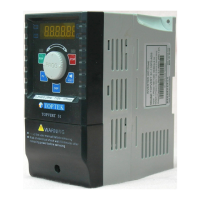
TOPVERT G1/H1/P1 Series
E-14
Explanations of Display Messages
Operation Steps
Selecting display mode
Messages Displayed
Descriptions
Display master frequency command of the drive
(Press the DISP key to read)
Display actual operation frequency output to the motor from the drive
(Press the DISP key to read)
Display output current to motor
(Press the DISP key to read)
Display User-selected content on Pr0-07
(Press the DISP key to read)
Display Read/Save selected content (For PU-02 only)
(Press the DISP key to read)
The specified parameter item
(Rotate and press the dial to modification, read and Enter)
(Press to display those parameters which data are different from
factory default)
Value of the parameter content
(Rotate the dial to modify for setting parameters)
If the “End” message is displayed , for about 1 second, it is an
indication that the data has been accepted and saved to the internal
memory.
RESET
F W D R E V E X T P U
F W D R E V E X T P U
F W D R E V E X T P U
F W D R E V E X T P U
FW D R E V E X T P U
FW D R E V E X T PU
To scrolling between F page, H page, A page and U page by pressing the DISP key
User defined Multi-
Function Display
DISP
Output current to motor
Press
DISP
Actual operation
frequency output to the
motor from the drive
Press
DISP
Master frequency
command of the drive
Press
FWD REV EXT PU
FWD REV EXT PU FWD REV EXT PU
DISPPress
FWD REV EXT PU
FW D REV EXT PU
FW D R EV E X T PUFW D REV E X T PU



 To Next Page