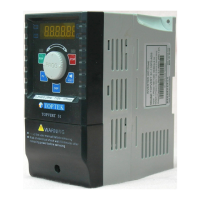
TOPVERT G1/H1/P1 Series
E-15
Setting parameters (For example, to set Pr0-07 = 2)
To run (For example, to run 50 Hz from PU)
Parameters READ/SAVE Operation (For PU-02 only)
(Parameter copy can execute between same drive model only)
T o run sette d 50.00 H z
S e t m a ster freq uen cy
to 50 .0 0 H z
(U se left ke y fo r qu ick
da ta en try)
R U N
P ress
F W D R E V E XT P U
FW D R E V E X T P U
R E S E T
T o sh ift da ta
R o tate
T o se tting d ire ction,
F W D /R E V
F/R
P re ss
FW D R E V E X T P U
T o en ab le P U
PU
P re ss
FW D R E V E XT P U
T o display a ctualou tput freq u e n cy
to the m otor
D IS P
P ress
F W D R E V E X T P U
To setting param eterP ow er-up D ispla y
P ress then
rotate
FW D REV E X T P U
M o dify data to 2
P ress then
rotate
FW D REV E XT P U
S uccess to set pa ram eter.
F W D R EV E XT P U
P ress
Pre ss 0 .5s ec
F W D R E V E X T PU
To se tting pa ram ete r
FW D REV E X T P U
D ISP
Pre ss tw ice
P ress
F W D R E V E X T PU
S elect Pr 0-07
to be m odified
Selections:
Read1
Save1
Read2
Save2
Rotate
PU
Press 2 key
simultaneously
RE SET
To read parameter
FWD REV EXT PU
To save parameter
PU
Press 2 key
simultaneously
RES ET
FWD REV EXT PU
Parameter Save
accomplished
FWD REV EXT PU
Parameter Read
accomplished
FWD REV EXT PUFWD REV EXT PU



 To Next Page