©2020 拓威航空 版权所有
3.4 sbus setting
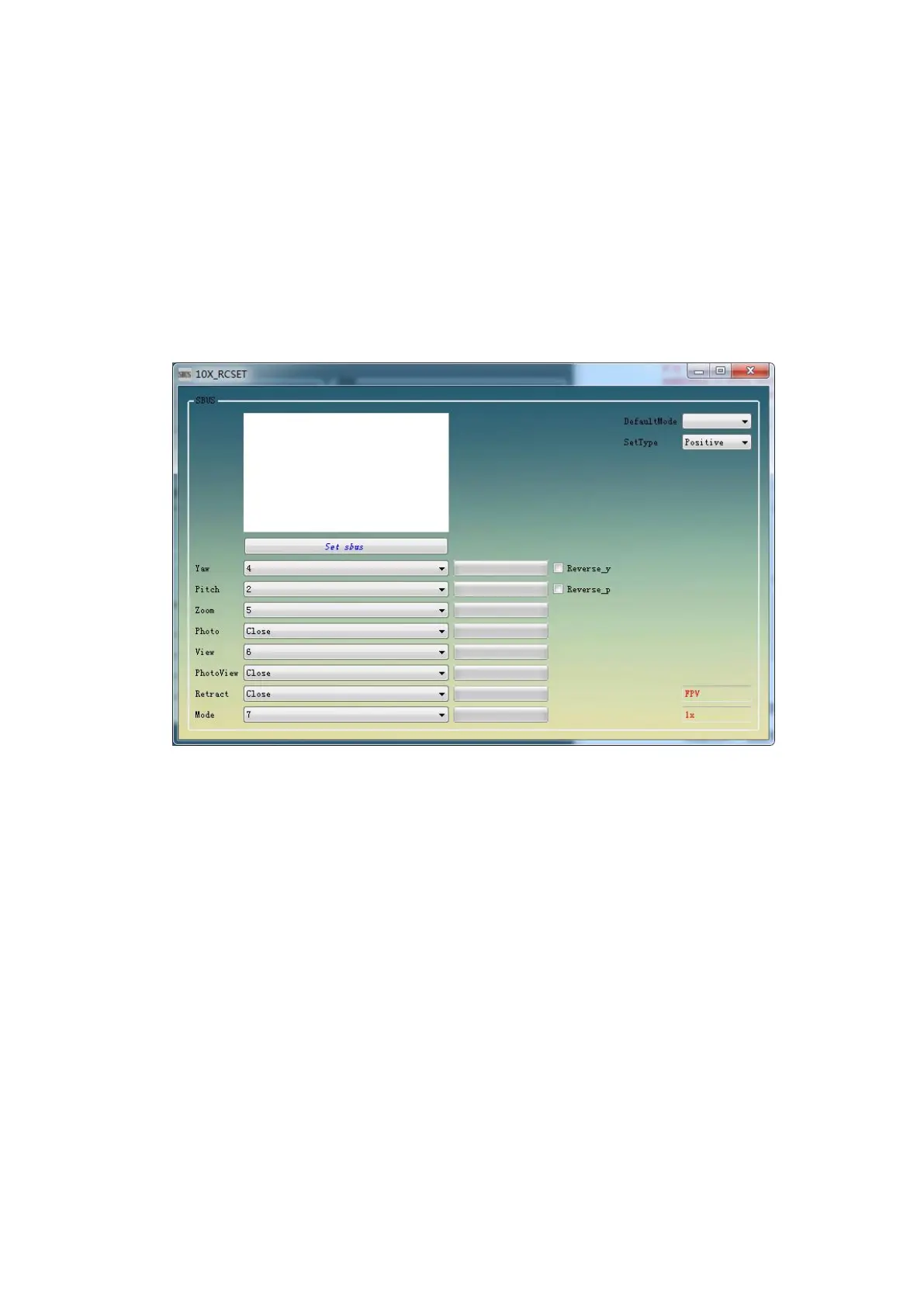
After the software is connected successfully, click RC setting, select the
corresponding control channel in the new setting interface according to the actual
situation of the user, and then click Set sbus
notice:
The zoom function needs to be controlled by three gear switch
It is recommended to use three gear switch for mode switching, which can realize the
switching of three working modes: follow the nose, FPV and attitude locking. If two gear
switch is used, FPV working mode will be missing.
3.5
POD mode
There are four modes of operation for F10A pod.
Follow the nose: speed is controllable: the pitch heading position changes with the rocker,
the rocker returns to the center, and the pod does not return to the center. At the same
time, the relative position of the pod and the aircraft is the same.
FPV mode: the pitch heading of the pod changes with the angle of the aircraft.
Attitude locking mode: the pod is consistent with the geodetic coordinate system. In this
mode, the heading and pitch of the pod do not change with the change of the aircraft.
Keep the current azimuth unchanged.
Return to warehouse mode(Generally, this function is not used): for customers with
functional requirements of retracting and releasing pod, F10A pod has added return to
warehouse mode, which has the highest priority. After opening the return mode: the pod
will be locked in the return state, and there will be no error in solving the pod attitude and
shaking due to the change of the relative position of the pod.
3.6 mode setting suggestions
Six control channels are required for F10A pod to realize all operation functions: two
rocker channels (pitch, heading); two three gear switches (zoom, working mode); two two


 To Next Page
 Loading...