Introduction
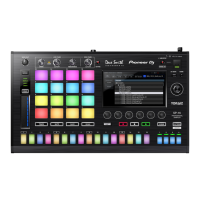
Thank you for purchasing the TORAIZ SP-16.
This document explains how to use the sound pack (demonstration project file) we’ve provided.
Confirm the firmware version
To use the project file on the TORAIZ SP-16, the firmware version 1.40 or greater must be installed. To check
the machine’s firmware version number:
1. Turn on the TORAIZ SP-16.
2. Press UTILITY in the HOME window to open the UTILITY window.
3. Scrolling the screen with the rotary selector, look for the second version number from the bottom.
※ Confirm that the value is equal to or greater than version 1.40. If you’re using an older version, download
the latest firmware via this link and update it according to the firmware update procedure manual.
4. Press UTILITY to exit the UTILITY window.
Decompress project files
Decompress the downloaded zip file. The following files are stored within:
*************** Project.tpkg


 To Next Page