Load the project file from a USB memory device
Copy the decompressed project files to a USB memory device for use on the TORAIZ SP-16.
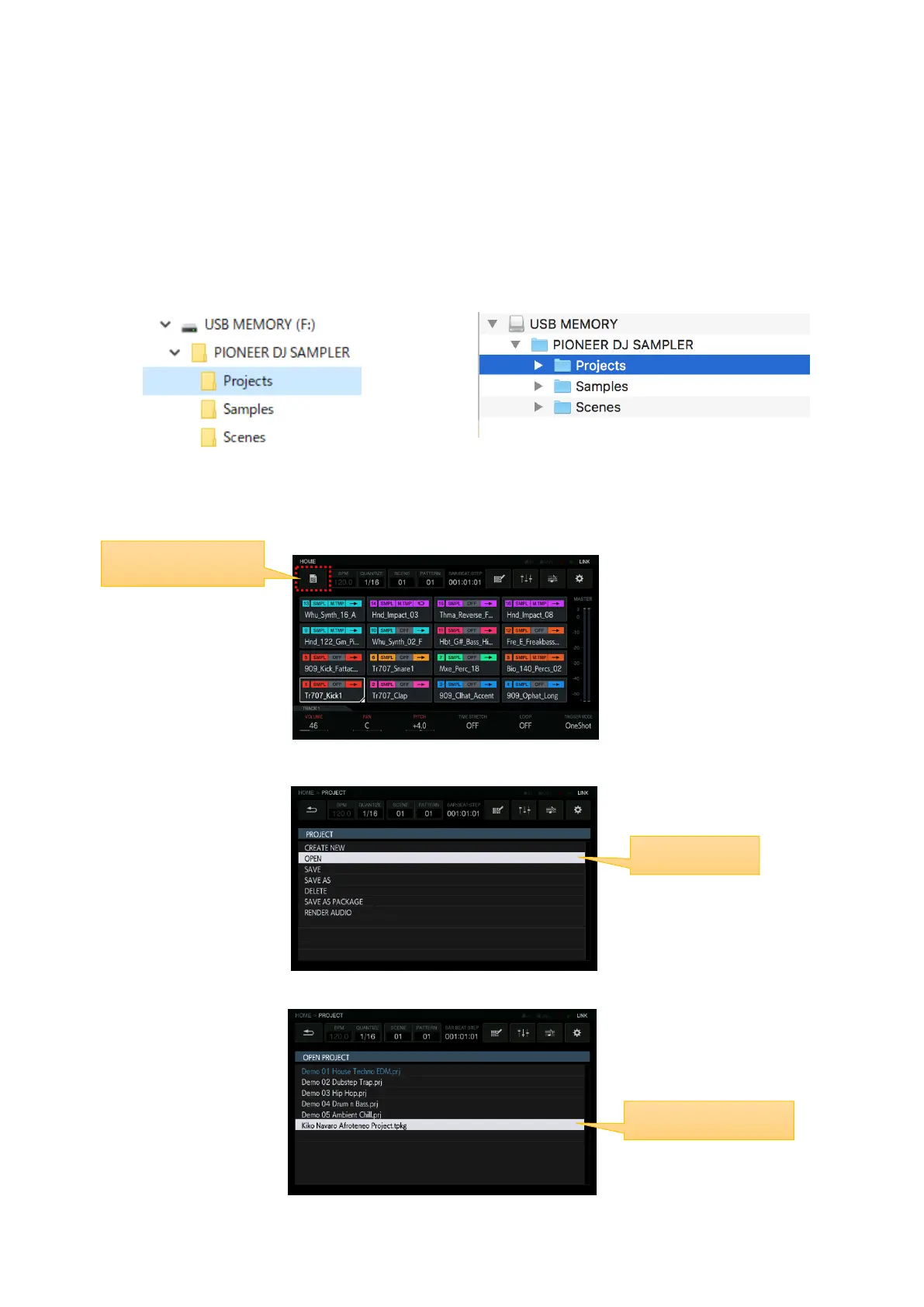
①Create a PIONEER DJ SAMPLER folder and Projects sub folder in the USB memory device. Paste or drag
the decompressed project file into the folder.
[Windows] [Mac]
②Insert the USB memory device into the TORAIZ SP-16.
③Press the PROJECT icon to open the PROJECT window.
④In the PROJECT window, select OPEN.
⑤Select the decompressed project file to load it into the TORAIZ SP-16.


 To Next Page