Load the project file to the TORAIZ SP-16’s built-in memory
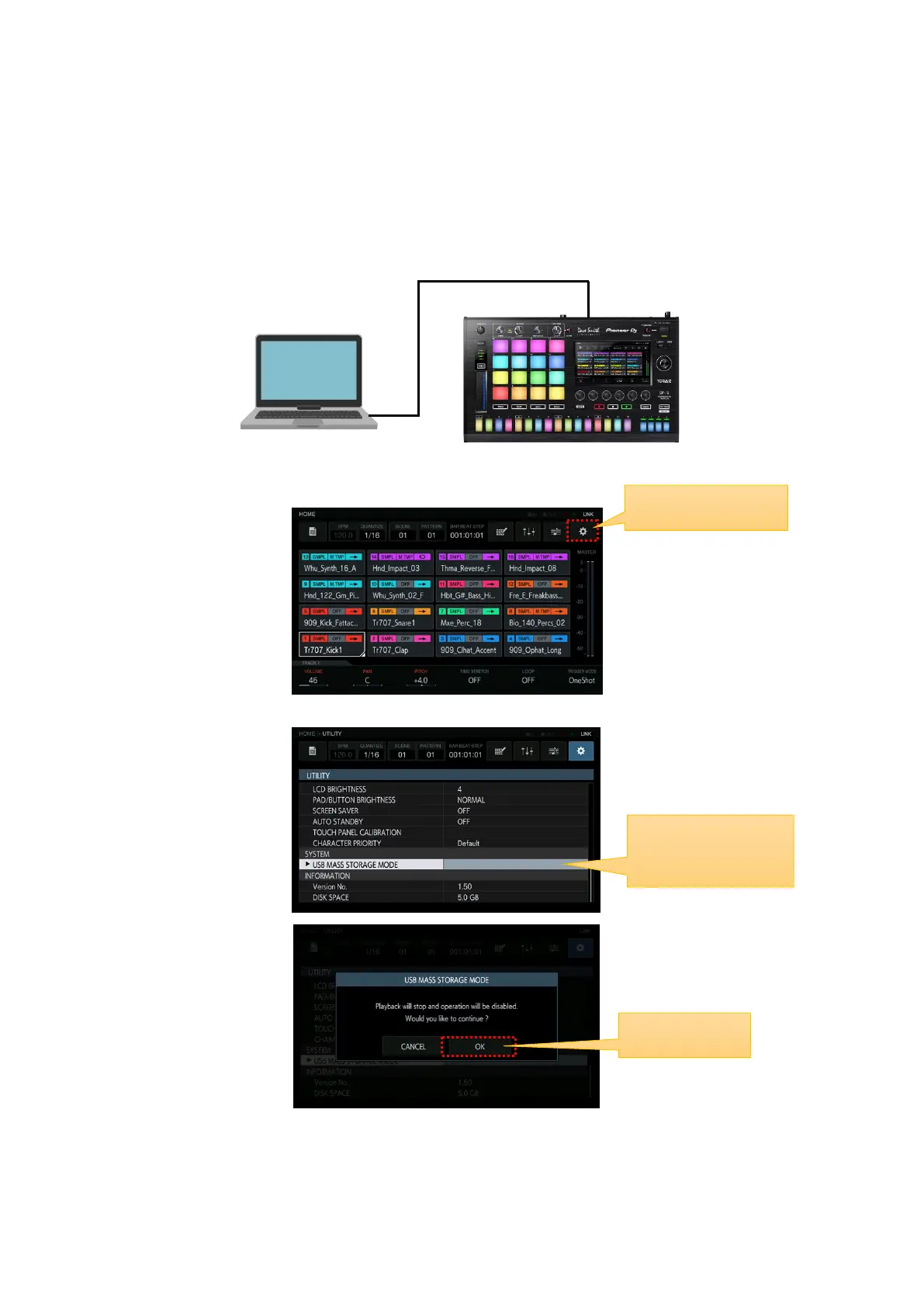
You can add the project file to the TORAIZ SP-16's built-in flash memory.
①Connect the TORAIZ SP-16 to a computer using a USB cable.
②Press the UTILITY icon to open the UTILITY window.
③In the UTILITY window, select USB MASS STORAGE MODE and press OK.
The built-in flash memory can be managed from the computer.
If you want to disconnect, disconnect from the computer and follow the pop-up menu.
Select USB MASS
STORAGE MODE


 To Next Page