INSTALL THE CONTROLLER ARM
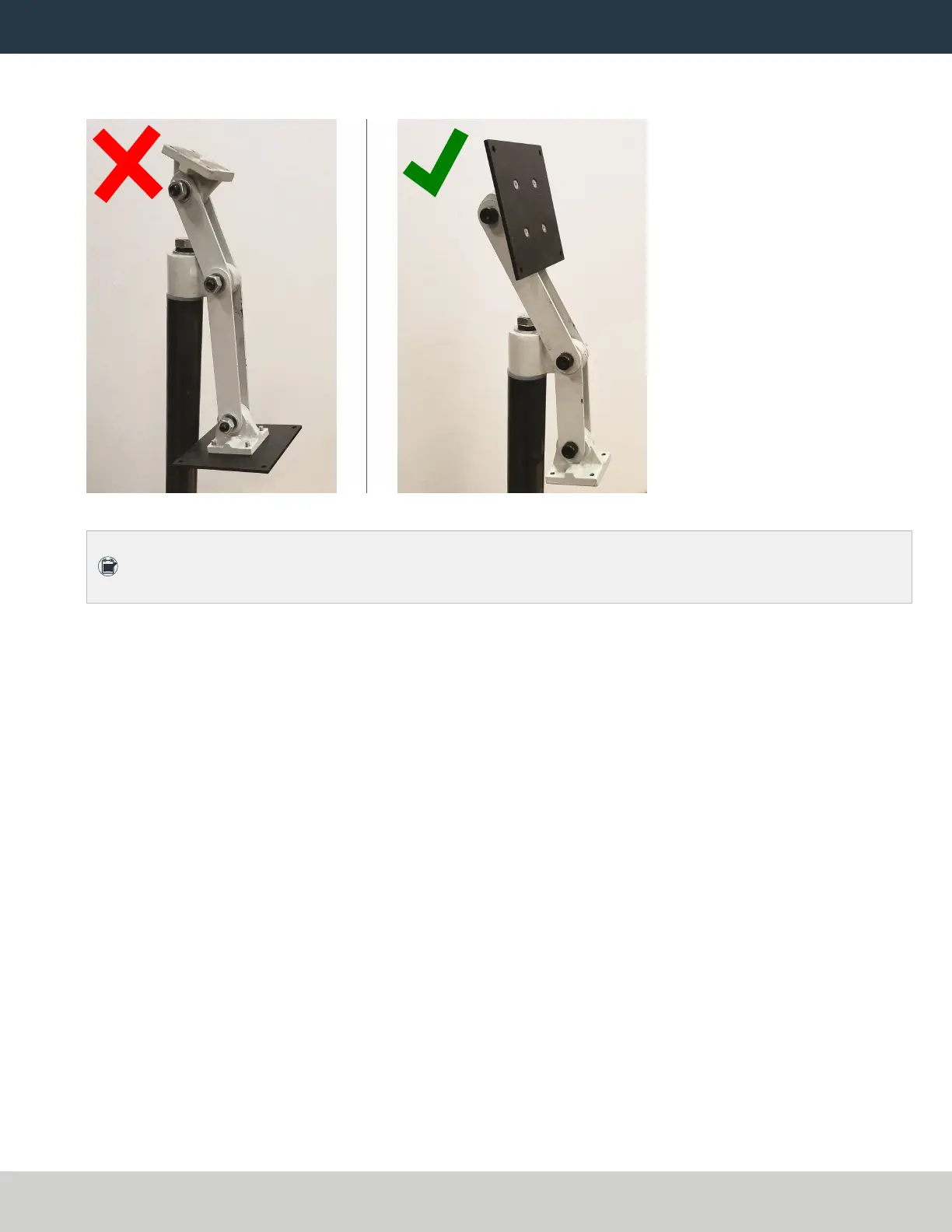
7. With a 21 mm wrench, remove the monitor bracket from the Controller Arm, and rotate it so that the
largest mounting plate is facing up.
Figure 3: Incorrect and correct orientations of the monitor bracket on the Controller Arm.
Note: The largest mounting plate is for the monitor, and the smallest mounting plate is for the
keyboard tray.
Page 4
©Tormach® 2023
Specifications subject to change without notice.
tormach.com
TD10788: Installation Guide: PathPilot Operator Console Assembly for 8L (0123A)


 To Next Page