19
SETTING UP THE CONTROLLER ACCORDING TO THE BATTERY TYPE
Before using the Controller, you should fine-tune its settings according to the
Battery you are using. The TC500 Controller supports*:
-SurRon Stock 60V Battery
-SurRon Stock Bypassed 60V Battery
-Custom 60V Battery
-Custom 72V Battery
The app will adjust the parameters to optimal values based on your Battery Type.
You can adjust Motor and Battery Current according to how much torque you prefer.
You can also customize the voltage values for each Battery Type, but we recommend
you use the controller in the limits of preset values.
*A Torp Controller can be also used with other batteries, but you should keep in mind that in this case the
voltage of the fully charged battery should not be above 84V, and minimal battery voltage should not be less
than 36V.
WWW.TORPMOTORS.COM
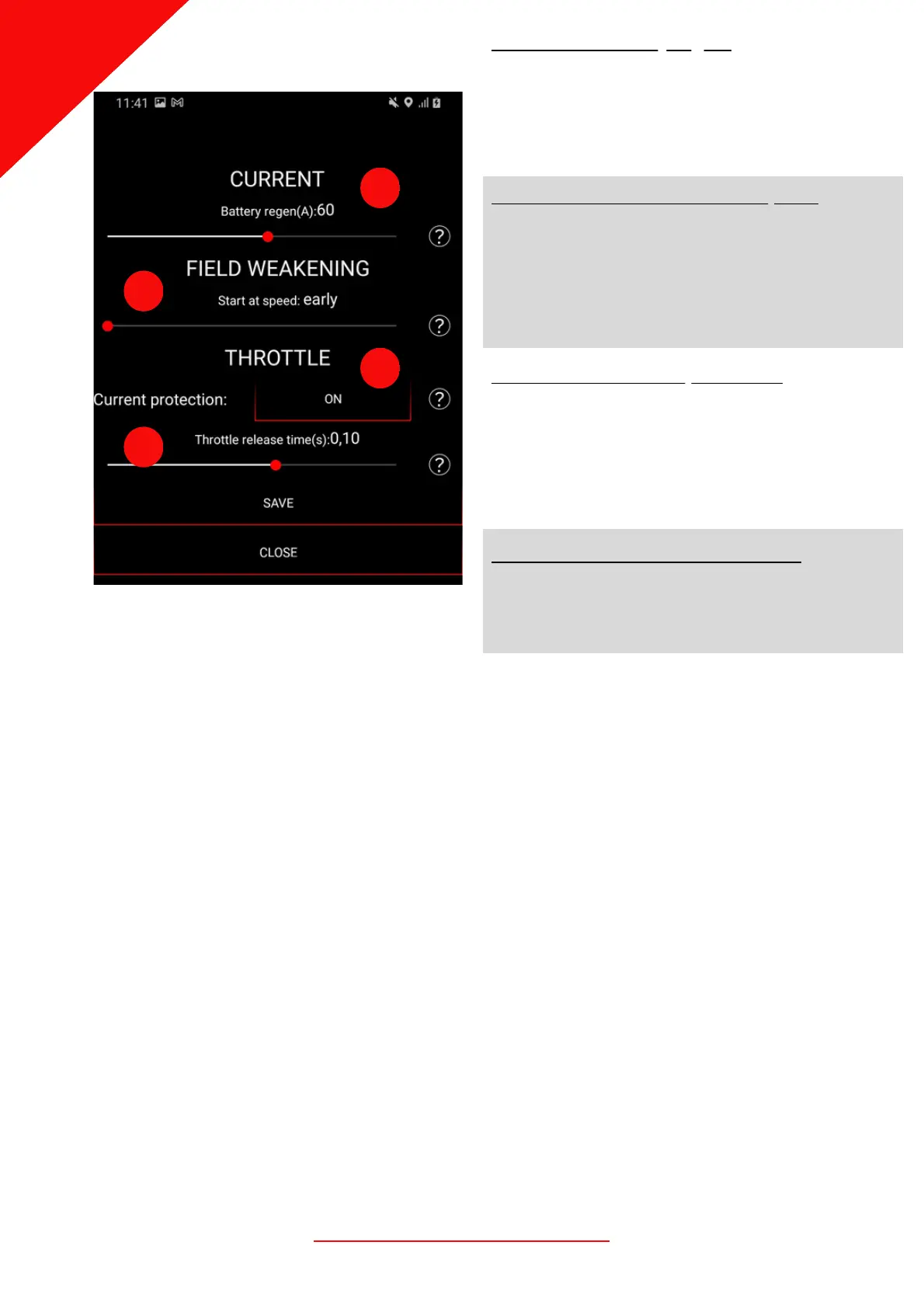
ADDITIONAL SETTINGS.
1-CURRENT-Battery regen: This option limits
the max amount of current flowing back into the
battery during regeneration. Adjust this setting
based on your battery and the charging power
capabilities of the battery.
2-FIELD WEAKENING-Start at speed: Use
the slider to set the speed at which field
weakening will activate. This option impacts
motor efficiency and field weakening
performance. If you want maximum efficiency,
set it to 'late'.
3-THROTTLE-Current protection: Some
throttles might consume more current than
expected. If throttle errors 3 or 5 arise, this
might be the reason. Disabling this option will
also deactivate the short-circuit detection on
the throttle handle.
4-THROTTLE-Throttle release time: The time
from when the throttle lever is released until the
value drops to zero. Reduce if you want a
quicker throttle release response.



 To Next Page
 Loading...